In 2023, artificial intelligence exploded into the mainstream, following the launch of ChatGPT. Three years later, it’s become impossible to avoid.
As someone who uses an Android phone and relies on Google apps, it’s something I’m all too familiar with. Gemini’s influence was initially limited to an AI chatbot and search summaries, but it’s quickly become a full-blown assault on all my favourite apps.
Maps. Photos. Calendar. Chrome. Keep. Docs. YouTube. Every Google app I use is now packed full of AI – regardless of whether I actually need it.
And, at Google’s I/O developer conference on 19 May, the company’s message was clear: this is just the start.
…the march of AI into my emails fills me with dread
Some of its most ambitious plans focus on Gmail, the email client I’ve relied on for almost two decades. Google’s planned Gemini-ification of the app could make interacting with your emails feel almost unrecognisable.
More so than any other app, the march of AI into my emails fills me with dread. Here are five key reasons I won’t be using Gemini in Gmail anytime soon.
My emails are sacred
Okay, that’s a bit of an exaggeration. I don’t protect my Gmail app as though my life depends on it, but it is where you’ll find a lot of my most sensitive personal data.
Sure, Google Photos documents my life and Keep contains a few private notes, but Gmail is the only one I’d be truly devastated to lose. It’s where I can find a wide range of official communications dating back years, plus detailed records of everything I’ve bought online.
It’s a truly indispensable resource, and one that reveals more about me than a collection of notes or photos ever could.
Foundry
With access to my emails, you get an incredibly detailed picture of the person I am, so I’m very reluctant to hand that information over to AI. While Google has scanned incoming emails for spam ever since Gmail launched, it hasn’t used them for targeted advertising since 2017.
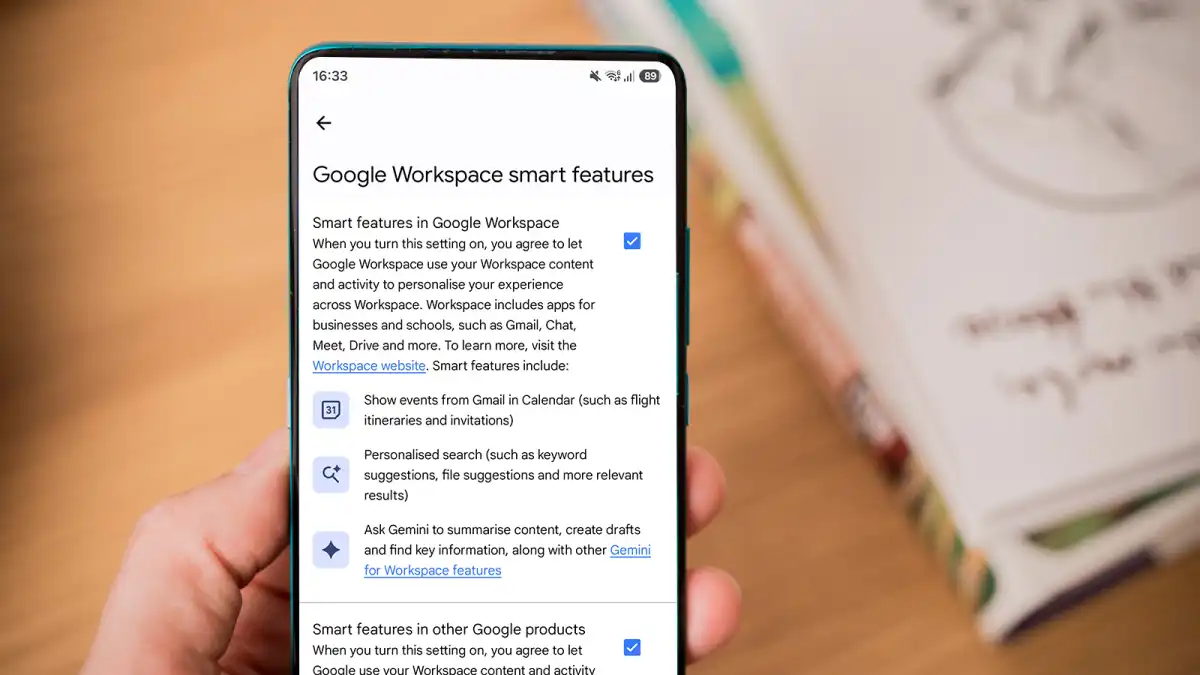
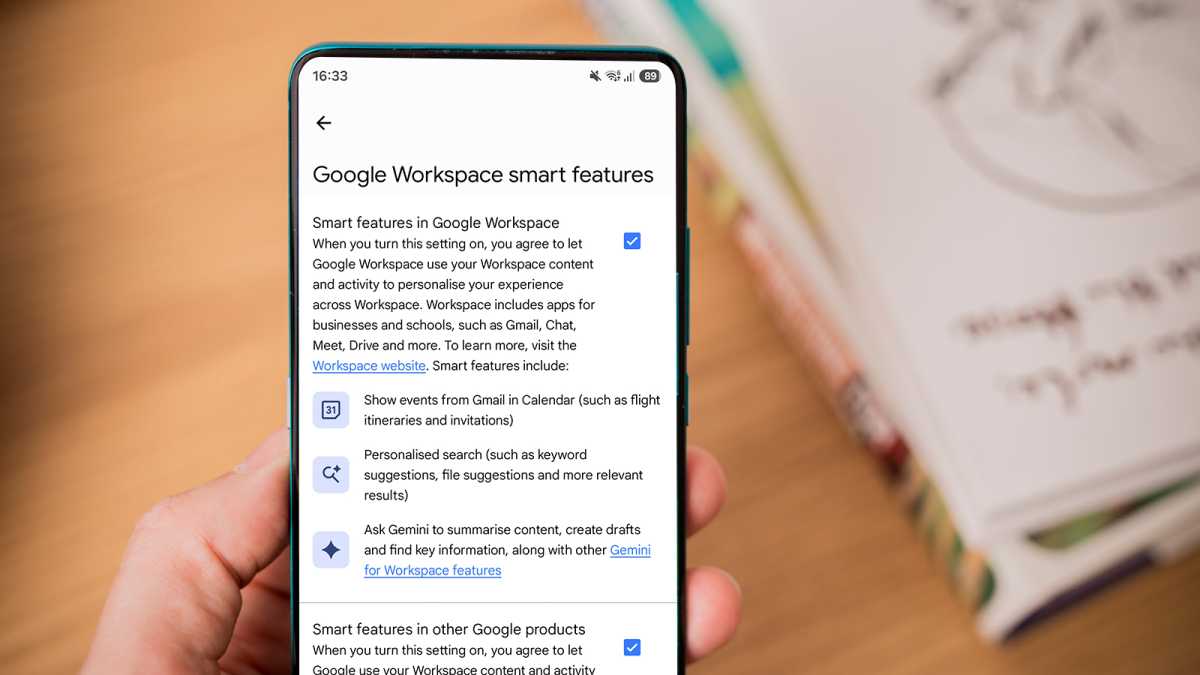
However, to use any of Gmail’s so-called “smart features”, you must allow Google to “use your Workspace content and activity to personalise your experience across Workspace”. Essentially, this means giving Google unrestricted access to your emails for the purposes of a more tailored AI experience. No thanks!
Unsurprisingly, these options are turned on by default – you’ll need to head to Settings > Google Workspace smart features and uncheck the two boxes to opt out. I really hope Google doesn’t remove this option in the future, leaving us with no choice.
Gemini (still) can’t be trusted
There’d be an argument for letting Gemini do the work if it were an infallible assistant that never made mistakes. But you don’t need me to tell you that it’s prone to more than occasional hallucinations, just like any other AI tool.
One of Gemini’s key features in Gmail is an AI Inbox, which creates a list of so-called “priorities” based on what it’s found while going through your emails with a fine-tooth comb, before taking you to the relevant document or suggesting the most appropriate reply.
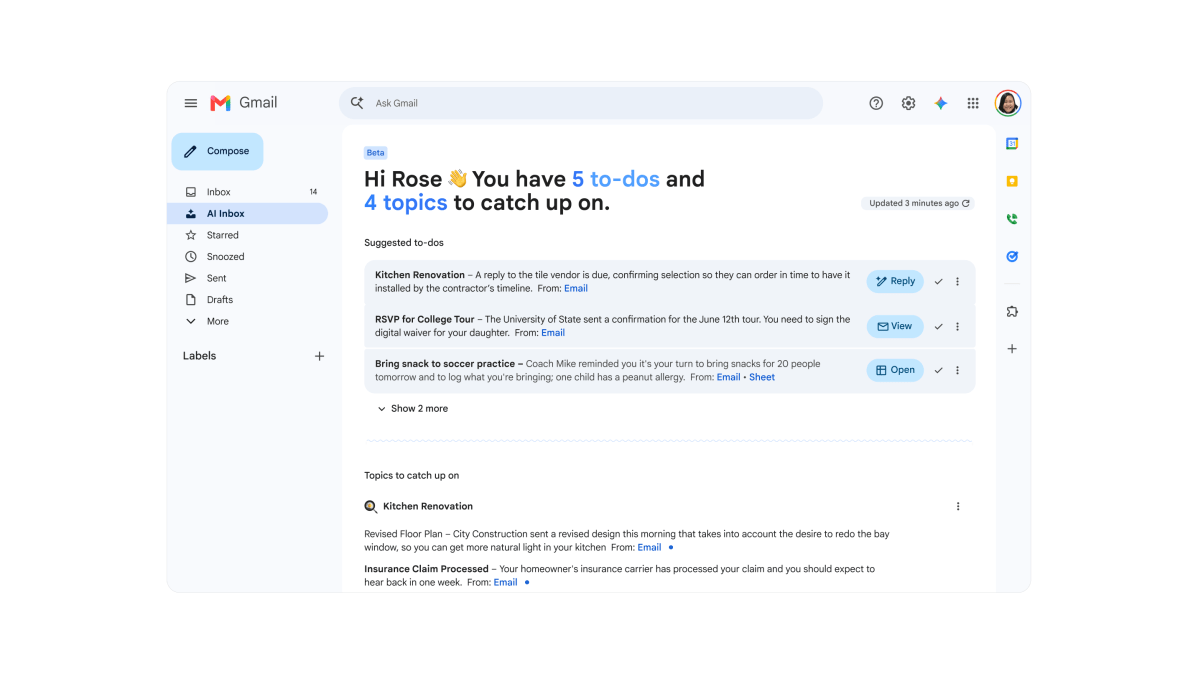
Alongside this, it creates detailed summaries of everything else you’ve missed, deciding for itself what does or doesn’t require action. This will presumably then refresh throughout the day as more emails arrive.
While this could be a major time-saver, I simply don’t trust Google to surface all the key information and ensure that it’s accurately summarised. The way people communicate via email varies wildly, with hidden meanings and assumed context commonplace.
Gemini can probably cope perfectly well with factual information (such as a booking confirmation or specific, detailed request), but what about more subtle clues?
I simply don’t trust Google to surface all the key information and ensure that it’s accurately summarised
For anything really important, I’d still want to trawl through long threads to make sure it hadn’t missed anything. Which rather defeats the point of AI Inbox in the first place.
Having previously been limited to Google AI Ultra subscribers, the feature is now rolling out to customers on the AI Plus and AI Pro plans. But if you’re planning to subscribe for this feature alone, I’d urge you to think twice.
A major talking point
While AI Inbox has already been available, Gmail’s new Gemini Live feature is brand new.
It appears to work almost identically to the regular Gemini Live feature that’s built into the Gemini app and many Android phones, allowing you to have a back-and-forth AI conversation in real time.

Google (edited)
The difference here is that it’s dedicated to helping you manage your email more effectively, by finding details of a specific event or keeping track of upcoming deadlines, for example.
It’s a neat idea, but again, I simply don’t trust Gemini Live to give me consistently accurate results. And for Gemini Live to be remotely useful, Google will have to analyse all our emails in far greater detail than we’ve ever seen before. To say I’m not a fan would be an understatement.
…for Gemini Live to be remotely useful, Google will have to analyse all our emails in far greater detail than we’ve ever seen before
Again, you’ll have to be a paid subscriber to Google AI Pro or AI UItra (starting from £19.99/$19.99 per month for Pro and going from £99.99/$99.99 to £199.99/$199.99 per month for Ultra) when Gemini Live starts to roll out this summer. I think I’ll pass.
Research that’s no better than pub chat
As a journalist, AI Overviews (AIOs) in Google Search results are the bane of my life. As part of my research for an article, I often have to look things up online, but I never know if what the AIO coughs up can be trusted. I mean, it’s relying on Reddit a lot of the time, which is often no more accurate than what you’ll hear down the pub.
I once made the mistake of including an AIO “fact” in one of my articles, believing it to be true. Luckily, my editor caught the error before it went live, but I learned never to trust AI with important facts and always to cross-reference details.
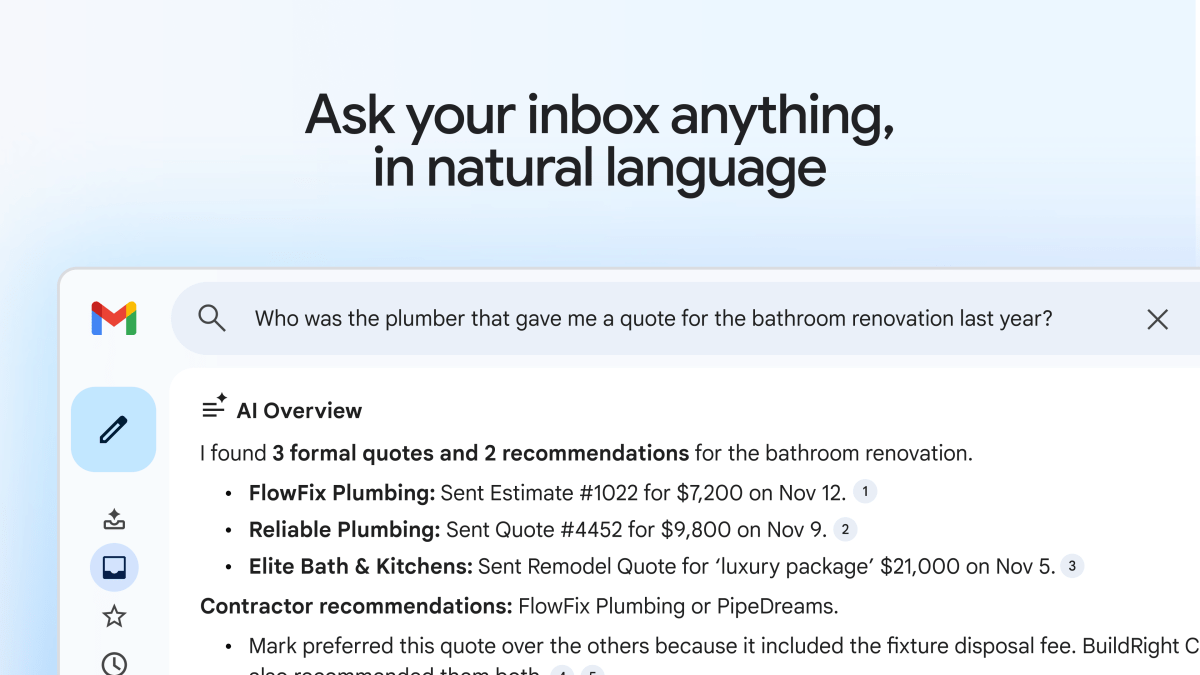
With that in mind, the expansion of AIOs to Gmail’s search function is very concerning. It appears to be a full-on replacement for traditional search, finding the relevant emails and only teasing out the details you need to know.
But accuracy is even more important here than in a search result. Imagine if you’re buying a house or applying for a visa, but the information that the AIO has supplied is inaccurate. It could have massive real-life consequences.
Why on earth would I hand over the reins to an AI assistant that Google acknowledges can make mistakes?
Of course, you’d probably double-check information for any crucial details, so why bother with AI in the first place? The regular search function works perfectly for sourcing emails, then takes a back seat and lets me decide what’s important. You know, how it should be. Why on earth would I hand over the reins to an AI assistant that Google acknowledges can make mistakes?
How to become a terrible emailer 101
I get it. Managing emails is a tedious, time-consuming task, so any way to make it more efficient is appealing.
I love a good batch-delete of useless content, but replying to everything relevant can feel like a chore. Trying to strike the perfect balance between being polite yet firm, chatty but concise can be a real time-suck.
In theory, Gmail’s “Help Me Write” tool is the perfect solution, helping you tweak any reply you’ve already written or generate a whole new one. Meanwhile, Suggested Replies supposedly use conversational context to provide more appropriate quick responses than the generic ones Gmail offers currently.
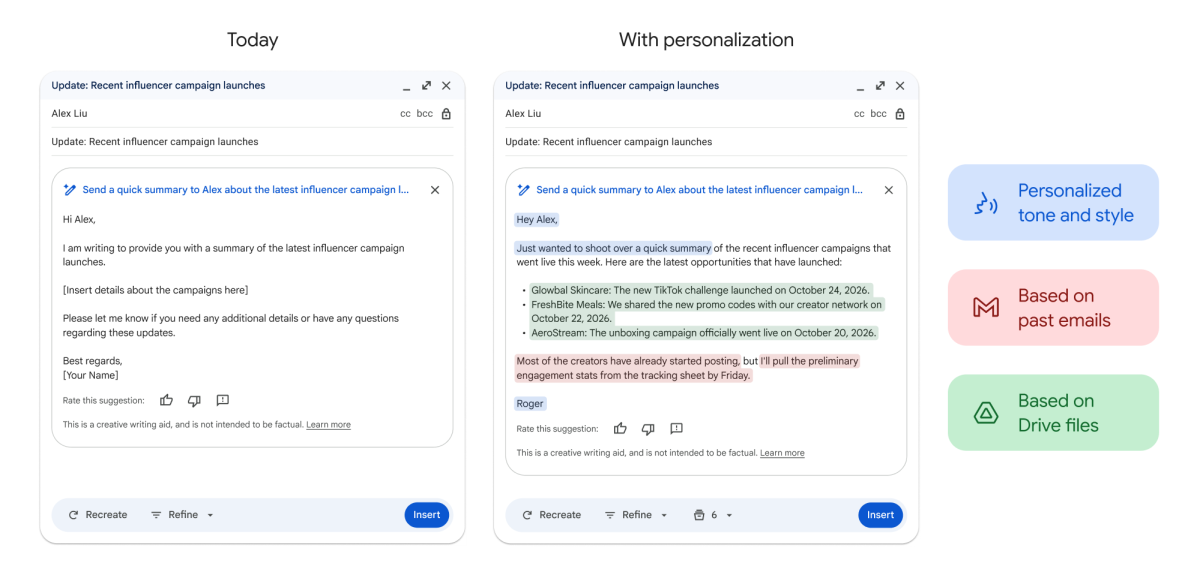
Sure, these tools can save you a lot of time, but at what cost? Just like articles written by AI, Gemini-generated responses are likely to be stilted and boring to read, while still being prone to glaring errors.
If you’re trying to inject a bit of personality into your emails, AI is the last thing you need. It doesn’t make you sound more engaged – it just makes you sound like AI.
Help Me Write and Suggested Replies are both free, which speaks volumes about their usefulness. They’re two more “features” that I’ll be keeping switched off for as long as possible.
If you’re trying to inject a bit of personality into your emails, AI is the last thing you need
AI can be great, but not like this
As you can see, there’s a bit of a theme here. Gemini offers great potential in Gmail, but the combination of unreliable answers and full access to personal emails makes it a nightmare.
This isn’t a case of hating AI for the sake of it. I can see its immense potential in a variety of different contexts, and have recently changed my mind on the Gemini chatbot after some very helpful experiments.
But there are certain apps for which AI integration does more harm than good. For me, Gmail is the prime example among Google’s suite of apps.
As long as Gemini is optional in Gmail, I’ll keep it firmly turned off. Should it ever become mandatory, I might have to switch email clients for the first time ever.