You don’t need to buy a Kindle or Kobo to enjoy a great ebook reading experience. No matter what device you have, there’s probably an excellent ebook reader app that can turn it into your own personal library device.
Better yet, you don’t necessarily have to pay for these apps, because they’re all licensed under one or another open-source software license. Of course, there are many contenders, but if you ask me, these are the five best options.
KOReader
Breathe new life into almost any device
This first one is a little weird, because while KOReader is an app you can use on Android devices or Linux, its greatest strength is turning eReaders back into eReaders. That’s right. When Amazon decides that your Kindle is now too old to read books, even though it’s perfectly fine, you can just jailbreak it and load KOReader.
In addition to Android and Linux, KOReader runs on Kindle, Kobo, and PocketBook devices. It also supports a huge variety of formats that include “EPUB, PDF, DjVu, XPS, CBT, CBZ, FB2, PDB, TXT, HTML, RTF, CHM, DOC, MOBI and ZIP files.” So if you install KOReader on a jailbroken Kindle, you can read files that Amazon’s device has never supported. Completely DRM-free.
KOReader offers a huge amount of tweakability too, so you can really dial in the look and feel of your reading experience beyond the basic options these eReaders came with out of the box. KOReader is licensed under the GNU Affero General Public License version 3.0 (AGPLv3).
Readest
Delivers a modern reading experience across multiple platforms

Readest is available on iOS, macOS, Windows, Linux, Android, and as a web app. So, if you have any devices running these platforms (or a browser), you can read EPUBs or PDFs using this polished FOSS app. It’s licensed under the same AGPL terms as KOReader. Speaking of which, Readest has a KOReader plugin that lets you sync your progress in a book using KOReader on an e-ink device with Readest on an Android device, for example.
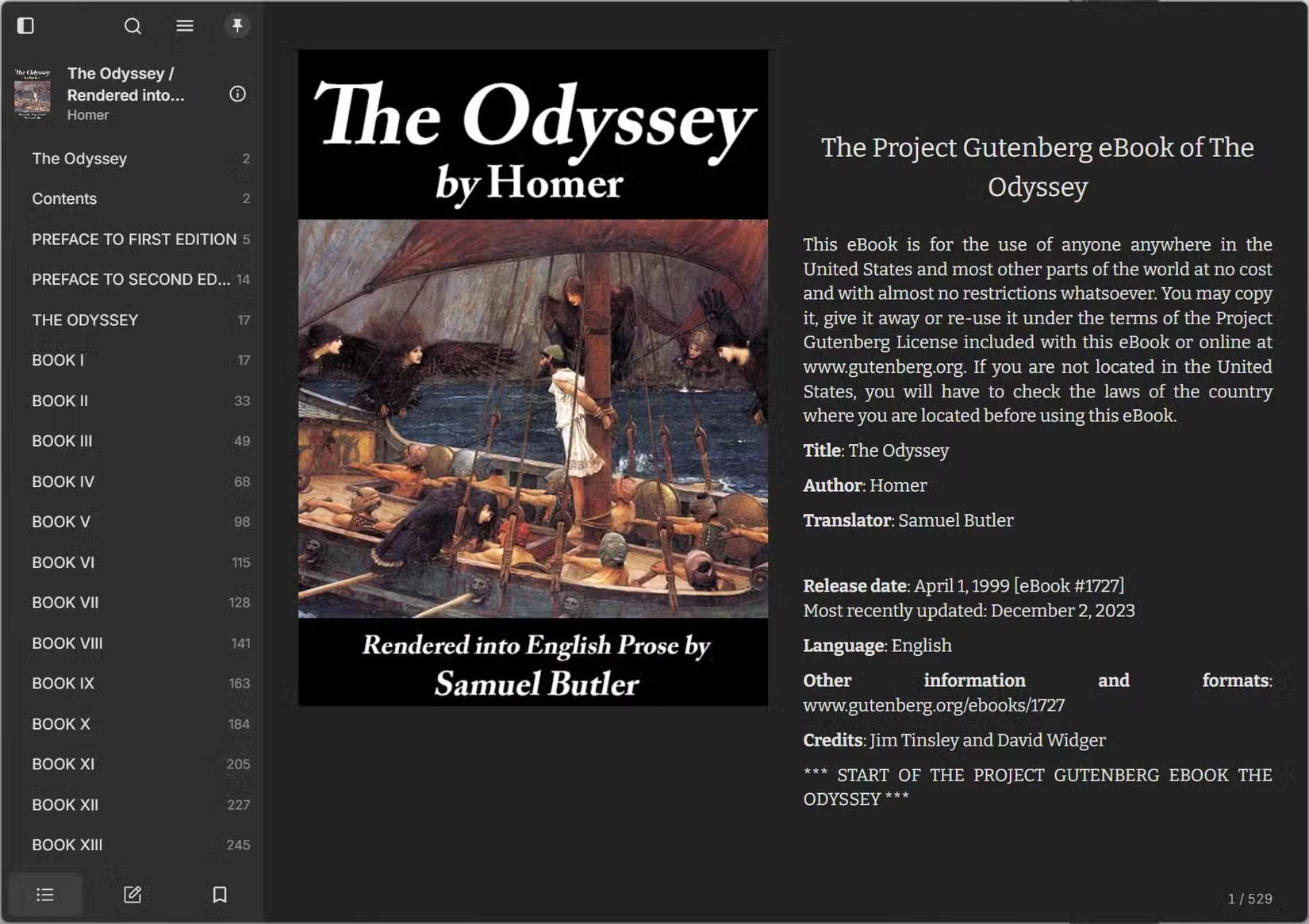
While Readest is designed around EPUB format books, it does a great job rendering them and the app looks highly attractive to my eye. Which is why I use it on Windows. In the example above, I grabbed a copy of The Odyssey from Project Gutenberg, and as you can see, Readest is a great way to access these free books.
Thorium Reader
One of the best desktop eReaders available

Usually when you think of reading ebooks, the image that comes up is a phone, tablet, or dedicated eReader. However, plenty of people (myself included) also like to read books on a desktop system. I have my Windows PC (which is my recreational system) hooked up to a 55-inch TV, and it’s genuinely relaxing to sit in my chair and page through a good book that way.
If you like to read your ebooks on a desktop or laptop PC, Thorium Reader is an excellent choice. There are versions for Windows, Mac, and Linux. That includes a native version for Apple Silicon, and even Arm versions for Debian and Windows.
While it would be good enough if it was just a clean, functional desktop reader app, Thorium’s other claim to fame is its accessibility features. It can be navigated using only keyboard input and has a built-in tool for reading the text in your book out loud. It works with the major screen reader apps too. If you’re looking for a reader for someone who needs accommodation, check out the Thorium accessibility page to see if it has what you need.
Librera Reader
Turn an old Android tablet into a dedicated reading device

If you have an older Android tablet sitting in a drawer, Librera Reader is an excellent excuse to dust it off. It supports an enormous range of document formats, including EPUB, PDF, MOBI, DJVU, DOCX, TXT, RTF, CBZ, and CBR.
Another great advantage for older devices is the low system requirement. The app performs well even on old Android devices, so it lets you give that cheap old tablet a new lease on life. You can also tweak the interface to a decent degree.
One thing to note about this app is that only certain versions are entirely open-source and free. The ad-supported and paid versions on the Google Play Store contain dependencies and other bits and pieces that are not FOSS. If you want the pure open source version, you need to get it from F-Droid.
Foliate
Brings a premium reading experience to Linux

Foliate is a Linux-only reader app that has a gorgeous, uncluttered, and minimalist interface. In spite of this, the app is actually rather feature-packed, it just doesn’t overwhelm you with a bunch of irrelevant UI nonsense, but hides its deeper elements rather well.
Bookmarks and annotations are par for the course, but it also supports right-to-left and vertical writing, as well as ebooks that have a fixed layout. It has an auto-hyphenation feature, supports pop-up footnotes, and lets you look up words on Wiktionary or Wikipedia directly from the app itself.
Create your own free library
There’s such a wealth of free reading materials out there, and, of course, you can buy books that don’t have DRM too. If you combine that with free ebook reading software, you could create a reading list of classics that would have been unimaginable just a few decades ago.
If you really want to create your own 21st-century library, you might also want to look into installing Caliber. It’s a self-hosted book management system. It works seamlessly with many ebook reading apps, and it’s fairly simple to set up.