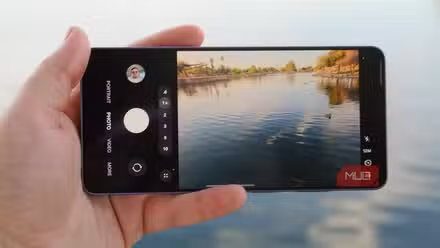
I’ve always felt that default smartphone camera apps haven’t kept up with how advanced smartphone camera hardware has become recently. You may notice this especially in smartphone videography. While default camera apps offer some Pro modes for photography, most of these options aren’t available for video — unless you have an Xperia or a high-end Samsung.
Recently, though, I came across a camera app that made me realize otherwise: that my phone could handle Pro recording, but I was using the wrong app. Switching to Blackmagic Camera has changed how I think about smartphone videography.
Blackmagic Camera showed me what my phone was hiding
Turns out the default app was the limitation, not my phone
I first came across Blackmagic Camera while searching for camera apps with a specific feature. However, the more I explored this completely free camera app from Blackmagic, the more I fell in love with it. If you have only used default camera apps before, Blackmagic Camera’s UI may feel a little different, and you may need a minute to understand what everything means. Once you get the hang of it, you can easily navigate different features and start recording videos with professional-grade controls.
As you can see, though, there are far more controls on the screen than what you may find on your default camera app. It constantly displays the current values for FPS, shutter speed, ISO, white balance, and tint, and you can adjust them as you wish. Most of these settings also have an Auto mode if you don’t want to meddle too much. In the second row of tools, you’ll find many features that make your video pro-grade.
Even if your smartphone doesn’t have super-advanced recording specs, Blackmagic Camera improves the final product. Of course, this happens only when you are willing to travel the extra mile for editing.
My videos stopped looking like they came from a phone
One setting made everything look more like a movie
Most of the controls I could find on Blackmagic Camera are unavailable in the default camera app on my smartphone for videography. Many elements on the control panel are also customizable. For instance, the app lets you assign specific feature toggles and other functions to F1, F2, and F3 buttons for easy access. For instance, I have set it up to toggle autofocus, which improves the videography workflow.
Similarly, because Blackmagic Camera offers dedicated options for landscape and vertical video, you can make the best use of your screen real estate. Within each of these modes, you can find customization options as well. In fact, you may need a minute just to get through the app’s super-lengthy Settings page. Something that deserves a lot of attention in the camera app is LUTs, which let you preview color grading without changing the actual footage. This way, you leave the best for editing rather than regretting a filter you may have chosen.
Another noticeable change Blackmagic Camera brought to the experience was the video quality. Sure, the exact specifications and quality of the captured video depend on your smartphone’s camera hardware, and the app does offer an edge on iPhones for obvious reasons. For instance, you can use the iOS version of Blackmagic Camera to record in ProRes and Log workflows. Some of these features are available on certain Android models, but not on most. Even then, the app outperforms most camera apps in videography.
My phone started acting like it had real camera gear attached
Suddenly, a cheap lapel mic and old headphones had a job
I’d also like to talk about the main reason I started using the Blackmagic Camera. I recently purchased an external wireless microphone to record videos on my smartphone, but the default camera app on my device didn’t let me choose it as the input source. I was looking for a camera app that lets me do that — and Blackmagic Camera was one of the recommendations. The moment I used it, however, I discovered several features that helped me capture videos more effectively.
For starters, you can connect external microphones and headphones to your smartphone and route the data effectively. It also offers advanced control over different aspects. For instance, I can add an audio monitor widget to the recording interface or adjust the audio gain via a slider. Similarly, depending on the smartphone model, you can easily connect external monitors, lenses, and accessories such as the Insta360 Flow.
I also found features that let me capture footage with more control than ever before. For instance, one feature lets me smoothly transition between lenses or zoom levels. The experience is better than manually switching between them because the camera app lets me customize the transition duration. If you use other Blackmagic products, such as DaVinci Resolve, you can also benefit from integration-oriented features like Cloud Sync and Chat.
On their own, these features can look smaller. However, you can see the actual difference when you capture content with the camera app, especially when you switch back to the default camera app.
Where this app stops being worth the hype
I don’t doubt for a second that Blackmagic Camera can offer a superior videography experience on your smartphone! Yet, it’s not a one-size-fits-all magical solution. On the other hand, the final output will depend, to some extent, on the camera hardware. For instance, if your phone doesn’t offer anything more than 1080p video capture, you will be stuck with that. The iOS version of the app is also more feature-packed than the Android version. Nevertheless, if you are trying to make the best of the hardware your device currently has, you should check out what Blackmagic Camera offers!