Though there are many Android launchers to choose from, almost all share a common feature: app grids! Sure, you can arrange your apps using multiple folders and layouts, but icons are what you navigate with.
As a result, navigating most Android launchers also requires a lot of muscle memory. You should always know where you have kept each app. As a result, sudden changes to home screen layouts can be confusing. This is still fine when you deal with a few dozen apps on your Android smartphone, though. The moment you let that number cross 100, the grid-based navigation becomes frustrating.
So, when I first heard about Kvaesitso, a free, open source, search-focused Android launcher, I was more than intrigued.
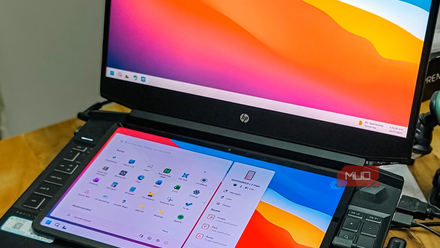
A custom launcher gave my Android tablet the desktop feel it was missing
Turning any Android tablet into a Windows 11 clone.
My first day with Kvaesitso was worse, not better
Turns out muscle memory does not care about your decisions

I’ve always preferred using a search function to navigating grids when finding information. That is, I would type the name of the app or file rather than run through an app grid. This is also why I use apps like Pixel Search to open apps rather than the pull-down launcher. Yet, the moment I started using Kvaesitso as the default launcher, I understood the significant impact of muscle memory.
Every time I unlocked my phone, I kept searching for app grids and folders, but there was only a search bar at the top. Getting used to this change and the presence of white space on the home screen took a minute. I am sure you will also come across this emotion sooner or later.
Before moving to Kvaesitso, I was using the default Android launcher on my OnePlus 13R, which was conventional in many respects. So, when I came across the lonely search bar at the top and the date/time widget at the bottom, I felt lost. It took me a solid hour to get the knack of using Kvaesitso to the fullest.
I must also add that you need to side-load this app from GitHub or F-Droid, and it requires several permissions to offer the full set of features.
Then I stopped looking and started typing
Two letters beat two swipes more often than I expected
The moment I got the hang of the powerful search function, everything seemed bright again. It meant I could type two letters to find the app I needed instead of swiping through multiple app grids, folders, and pages. Compared to other search-based widgets I had come across, Kvaesitso was quick and accurate. Despite being very minimal, Kvaesitso leaves plenty of room for customization.
To get started, you can customize how gestures work with this launcher. For instance, I have configured everything so that when I swipe down, the notification panel comes up, but I can swipe up to launch the search interface. Even if you are switching from another launcher, setting up Kvaesitso would not be a problem. Similarly, I love the option to retain the dock or to pin apps to the search interface for quick access.
Thanks to how smooth everything is, typing the first two letters of a word is now a faster way to find apps than visual scanning. This practice also meant I could spend less time organizing app layouts. Kvaesitso also lets you set up folders/collections that adapt to your usage. However, the search engine that helped me open apps more quickly was only one of the many things Kvaesitso could do.
The Kvaesitso features I didn’t expect to use
I came for the search bar and stayed for more
Though search-based app launching was the primary motivation for trying Kvaesitso, I’ve come to love this free Android launcher for more things. The first thing to note is that the search function lets you find not only apps but also contacts, files, calendar entries, and a variety of information on your device and from the internet. There have been instances when I could find the answer to my query within the search interface itself, without opening a separate app, such as a web browser or a calculator.
For starters, the search function on Kvaesitso serves as a calculator and unit converter and includes a number of quick actions. For instance, when you click the online results button, the search interface will also show you results from the web, Wikipedia, and some other sources. I also love the option to filter these results, so I am not bombarded with too many options. As for organization, you can also use tags and plugins to get the most out of the experience.
The widgets in Kvaesitso are also impressive, and you can access this space with one of the swipe gestures. In addition to the widgets you can bring into the home screen, there are built-in options such as calendar, clock, favorites, music, notes, and weather. Over time, the Widgets section of Kvaesitso has become a central space where I can see my day ahead. All these widgets integrate well with the default apps as well.
On top of all this, the level of customization that Kvaesitso offers is something that I truly love. Let’s consider the media control option, for instance. Instead of randomly selecting which apps appear, this Android launcher lets you choose which music apps to sync with this media control interface. So, even if I accidentally open a podcast or a website, it won’t appear in the main interface.
That you find all these unique features on an open-source Android launcher is borderline unbelievable.
This is not the launcher for everyone, and maybe not forever for me
The experience Kvaesitso offered me is, hands down, one of the best launchers I have tried on Android. At the same time, Kvaesitso can test our patience, and you may feel like switching to something else. However, if you drive past the learning curve, you’ll understand how effective this search-and-type-based app navigation is. A supportive community and lack of ads/trackers are more reasons to move forward on this path.

- OS
-
Android
- Individual pricing
-
Free, open source
- Developer(s)
-
Kvaesitso
Kvaesitso is a free, open-source Android launcher that uses a search bar instead of app grids.