Cloud applications seem very convenient until you start thinking about how much of your work depends on someone else’s servers, but Linux gives you another option.
Over the past few years, I have found open-source desktop applications that can replace many cloud-based tools while keeping the actual work on my machine. The result is a simpler setup where files stay on local storage, applications continue working without an internet connection, and I have more control over my data. These are 8 Linux applications that replaced cloud services I previously used.
Gradia replaced Markup Hero
Annotating screenshots locally
Markup Hero is useful when you need to quickly annotate screenshots, images, and other visual material. It makes adding arrows, boxes, text, highlights, and other annotations straightforward. On Linux, I use Gradia for the same kind of work. Gradia is an open-source image annotation application designed around screenshots and images. It provides the tools I need for marking up an image without sending it to an online service first.
This is particularly useful when working with screenshots containing configuration details, private documents, internal interfaces, or other information that I would rather keep on my computer. The workflow is simple. Open an image in Gradia, add the annotations, and save the result locally. There is no account to create and no web application involved.
Kooha Replaced Loom
Recording the desktop without uploading it

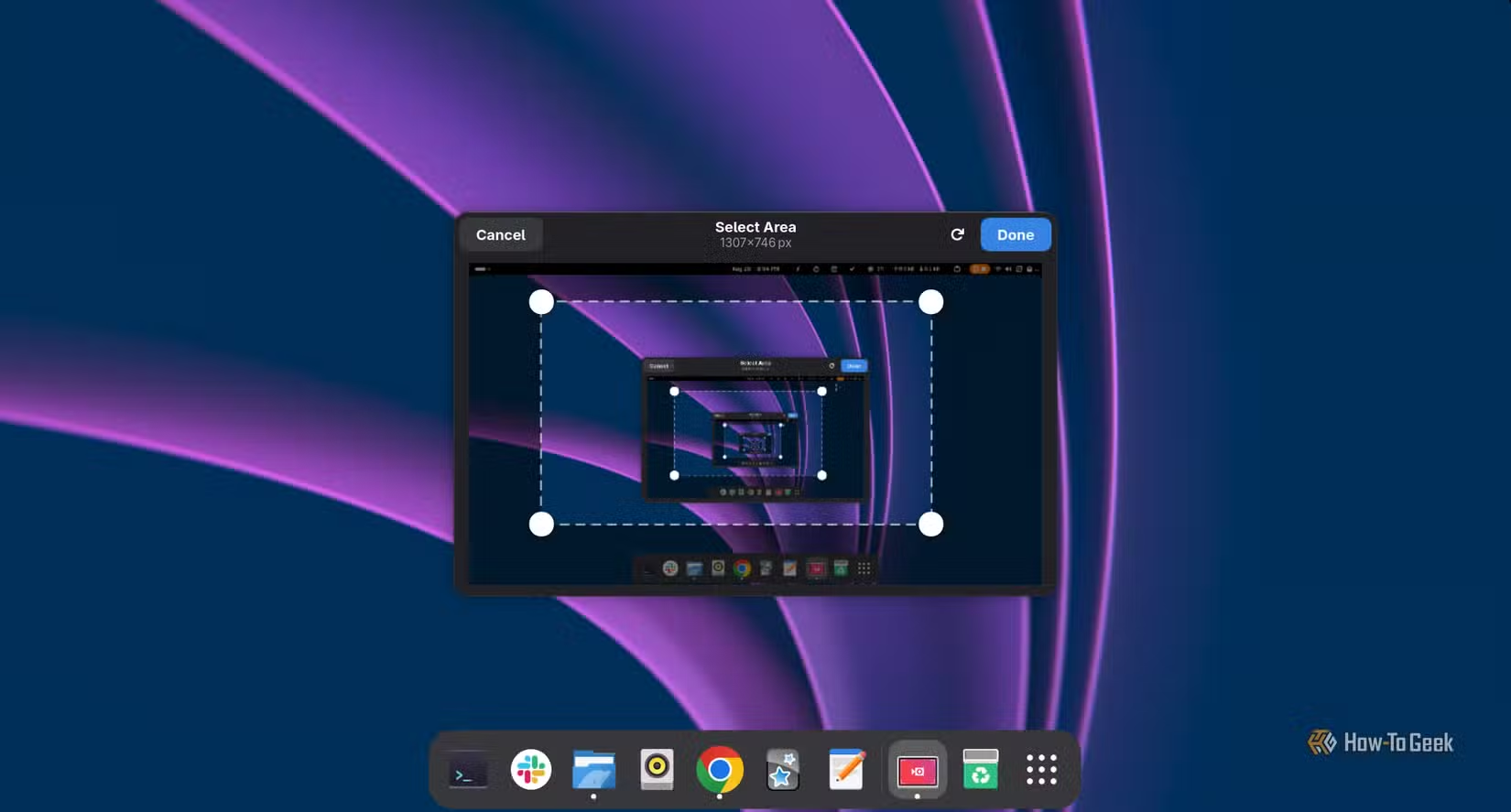
Loom is one of those services that becomes incredibly useful when you need to record your screen and share the result quickly. The problem is that the recording workflow is fundamentally tied to an online service. Kooha takes a much simpler approach. It is a lightweight Linux screen recorder that can capture the desktop, a window, or other supported recording sources and save the resulting video locally.
Kooha also fits naturally into a Linux workflow. Start the application, select the recording options, record the demonstration, and work with the resulting video file using whatever local tools you prefer. You still need another service if you want Loom’s hosted sharing and collaboration features. For straightforward local recording, however, Kooha removes an entire layer of infrastructure.
Pika Backup Replaced Backblaze
Keeping backups under local control

Backups are slightly different from the other applications on this list because cloud storage solves a real problem. A service such as Backblaze can automatically copy your files to remote infrastructure, giving you protection against hardware failure and other disasters.
Pika Backup approaches the problem from the Linux desktop. It provides a graphical interface for creating backups using BorgBackup and can store those backups on supported local or remote destinations.
NormCap replaced OCR.Space

OCR is another task where cloud services are easy to reach for. Upload an image, wait for the server to process it, and copy the extracted text. NormCap moves that process onto the desktop. It is an open-source screen-based OCR application for Linux and other platforms. Instead of uploading an image to a website, I can select an area of the screen and let the application extract the text locally.
Local OCR also makes more sense for private stuff, things like a screenshot containing credentials, internal documentation, personal information, or other sensitive text. Sending them to an external OCR service introduces an unnecessary data transfer.
Upscayl replaced Let’s Enhance
Upscaling images with your own hardware

Image upscaling is one of the areas where cloud services have become surprisingly capable. Let’s Enhance and similar services can take a small image and use machine-learning models to generate a larger version. Upscayl brings AI-assisted image upscaling to the Linux desktop. Instead of uploading an image and waiting for a remote server to process it, I can open it locally, select an upscaling model, and let my own hardware do the work. The performance depends heavily on the GPU and the selected model. A modern discrete GPU can make local processing considerably more practical, while older hardware may require more patience.
Upscayl is particularly useful for screenshots, illustrations, old images, and other graphics that need to be enlarged before publication. The results still depend on the source image and model. AI upscaling cannot magically recreate information that was never present in the original. However, for many everyday images, it is a useful local alternative to an online upscaling service.
Xournal++ replaced Drawboard PDF
Working with PDFs on the Linux desktop

Drawboard PDF is a popular option for annotating and working with PDF documents, particularly on Windows devices.
On Linux, Xournal++ fills much of the same role for me. Xournal++ is an open-source application designed for handwriting, note-taking, and PDF annotation. It can open PDF documents and provides tools for writing, highlighting, drawing, adding text, and making other annotations.
This is useful for documentation, technical papers, forms, manuals, and other PDFs that require markup. The local nature of the application is also important. A PDF can contain anything from private correspondence to business documents, so I prefer to keep the original file and my annotations on local storage whenever possible. Xournal++ is not a one-for-one replacement for every feature found in Drawboard PDF. Its focus is different for Linux users who mainly need PDF annotation and handwritten notes. However, it covers the core workflow effectively.
RapidRAW replaced Lightroom
Developing RAW photographs locally

Adobe Lightroom is deeply integrated into a larger commercial ecosystem, and photographers often depend on it for organizing and developing their photographs. RapidRAW offers a Linux-native alternative focused on RAW photo development. I can work with RAW files directly on my computer without building my workflow around a subscription service.
A local RAW workflow also gives me direct control over the source files, exports, and cataloged material. Photos remain in my storage, and the application can process them using the resources available on my machine. RapidRAW is still a relatively specialized tool compared with the enormous feature set surrounding Lightroom. Photographers with sophisticated cataloging, synchronization, or Adobe-specific workflows may find that it does not replace every part of Lightroom. For developing photographs locally, however, it provides an interesting open-source option.
Dyad replaced Bolt.new and Replit Agent
Building AI-assisted applications locally

The most interesting replacement on this list is Dyad. Services such as Bolt.new and Replit Agent combine AI assistance with a browser-based development environment. You describe what you want to build, and the service generates or modifies application code.
Dyad brings this style of AI-assisted development to the local machine. That changes the privacy model considerably. Instead of having an online development environment handle your project files, you can work with the project locally and connect the application to supported AI models according to your own setup.
Local software does not eliminate every reason to use online services
Replacing these applications does not mean I have abandoned cloud services entirely. Cloud applications are great at things like collaboration, synchronization, remote access, and off-site storage, but the point is control. For many desktop tasks, uploading a file to a remote server is simply a consequence of choosing a particular application.
Also, I think the biggest advantage is not just that they are free, but that they also let me decide where my files, recordings, images, documents, and projects live. For a Linux desktop, that is a compelling reason to move more of my everyday work back onto the machine sitting in front of me.