With the launch of Apple Intelligence in 2024, Apple first started to get serious about AI. But it’s taken the company another two years to finally get its Siri assistant up to the level of generative AI bots like Google Gemini and ChatGPT from OpenAI.
With a little help from Google, the new and improved Siri AI is coming to millions of iPhones, iPads, and Macs this year—first in the public beta versions of iOS 27, iPadOS 27, and macOS 27 Golden Gate, and then with full releases later in 2026.
There are improvements in almost every aspect of how Siri works: Its answers are better, it has more contextual awareness, and it finally syncs your chats across devices. It’s effectively the Siri 2.0 upgrade that should’ve arrived with Apple Intelligence, and it also now appears as its own app for the first time.
You can even change how expressive Siri AI is, though these advanced customizations are exclusive to the newest and most powerful Apple devices: the iPhone 17 Pro, iPhone 17 Pro Max, or iPhone Air, iPad models with an M4 chip or later and at least 12GB of RAM, and Macs with an M3 chip or and later and at least 12GB of RAM.
When you get access to Siri AI, you can use it with a “hey Siri” command, by pressing and holding the side button, or by launching the app. It’s available via the Dynamic Island on iPhones, via Spotlight on iPads and Macs, and via the menu bar on Macs.
Once Siri is listening, here’s what you can do.
Ask more questions, get smarter answers
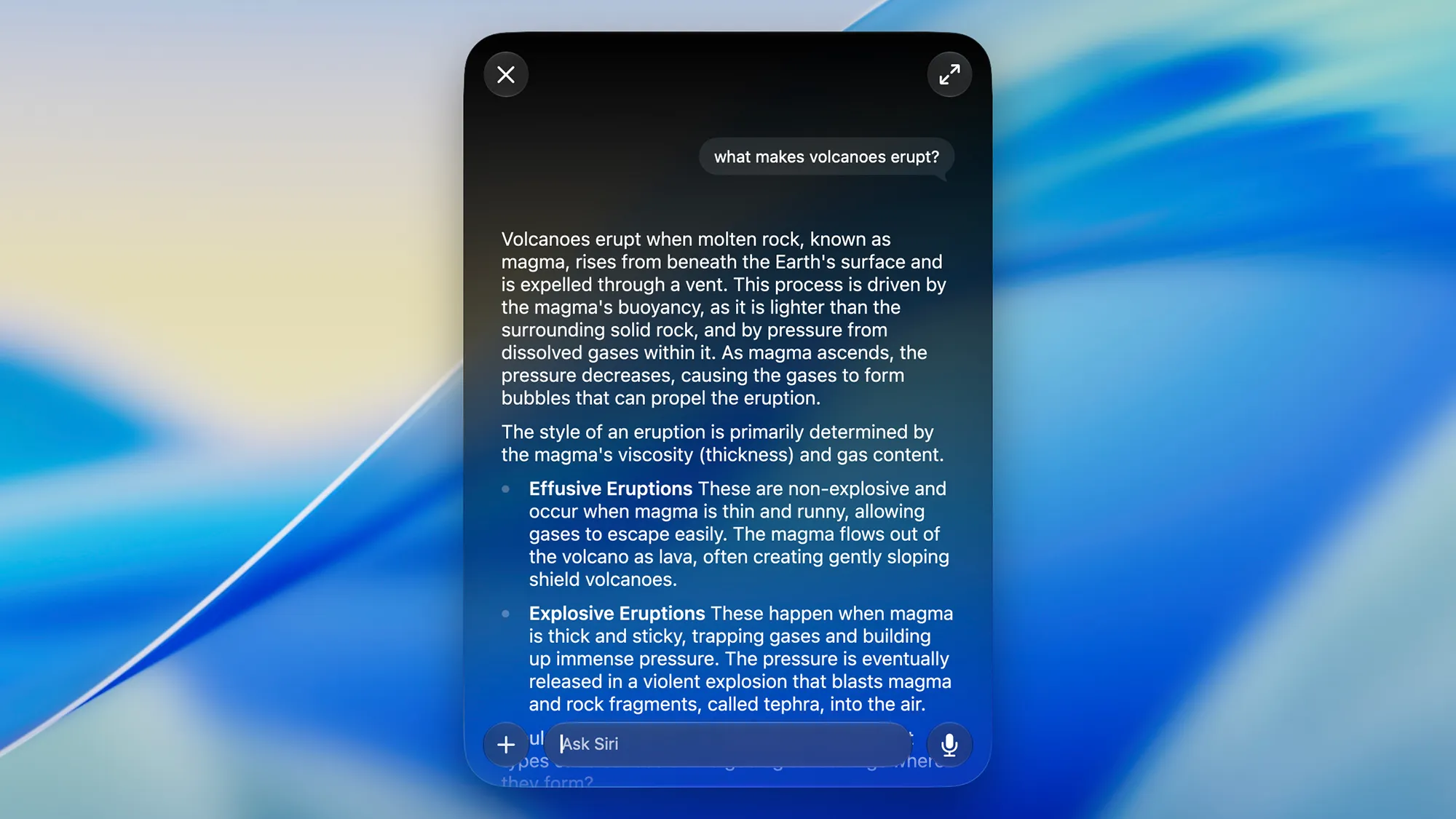
One of the areas that Siri AI improves over plain old Siri is with real world knowledge. You can now ask questions like “when’s that Taylor Swift gig in New York?” or “how many days until the NBA season starts?” and get answers that are accurate and informed—most often with additional context attached.
Siri AI is also better at a wider range of queries, whether you want it to explain DNA in a straightforward way or you need the assistant to brainstorm ideas for a 5-year-old kid’s birthday party. These are prompts that AI bots such as ChatGPT have been handling ably for several years now, and Siri AI means Apple has caught up.
Try asking how to reset an iPhone, how to replace a showerhead, or the best ways to attract birds to your garden, and Siri AI will give you proper, intelligent answers that make sense. A lot of these more advanced questions would have stumped the old Siri, or at least relied on its previous ChatGPT extension.
What Siri AI can’t do that ChatGPT and Gemini can is generate images. For this you need to head to the Image Playground app on your iPhone, iPad or Mac. This too has been much improved, and you can now get a wider variety of image styles generated (including photorealistic pictures), and make specific edits to your AI art.
Interact with apps—and with what’s on screen
Siri AI is better at interacting with your apps and devices too. Try asking it to dial up the screen brightness or turn on airplane mode. You can get it to “compose a new email” or “set a reminder” and it will interact with the appropriate Apple app accordingly—so controlling your devices with your voice is more straightforward.
You can take this to another level. If someone called Sophie has previously texted you their address, you can tell Siri to “remind me where Sophie lives” and it will know what you’re talking about and dig out the details. It also works with photos too: A command like “show me photos of Paris but just with the family in them” will work as well.
Other extra tricks that Siri AI has learned involve what’s on screen. You can ask the AI assistant “where is this?” if there’s a photo of a location currently being shown, or say something like “give me some ideas for this event” if a friend sends you an email inviting you to a fancy dress party.
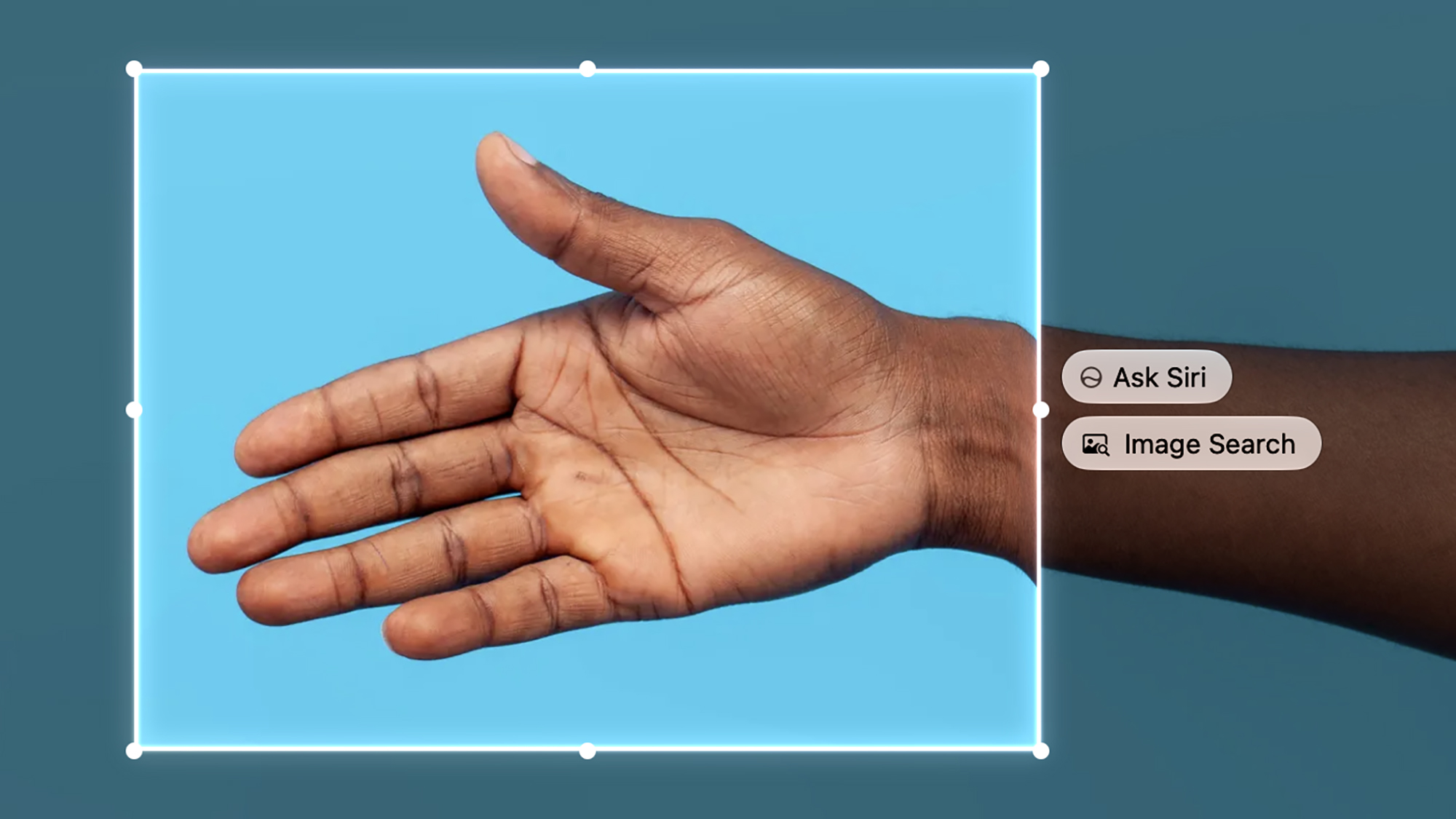
You can be a little bit more precise if you’re on a Mac running macOS 27. Hit the Shift+Cmd+6 shortcut, drag out a rectangle across the part of the screen you want to focus on, then select Ask Siri to ask a question about it. Maybe you want to identify a phone model or a tree type, for example, or you’ve seen an image of a meal on the web and you want instructions for how to make it.
Siri AI writing and customizations
If you must use AI-generated text for your notes, emails, and other writing, Siri AI offers improvements here too. In an open email draft for instance, you can ask it to compose a stern complaint to your landlord, or in a blank note, you could get it to drop in a grocery list for a buffet for five people.
On iPhones and iPads, it’s easiest just to speak these commands out (you can also let Siri AI do the job of launching the apps too). On Macs, voice works too, but there’s also the option to right-click inside any text field to find the Ask Siri option—whether you’re in your browser or Pages (no AI help was used in writing this article, by the way).
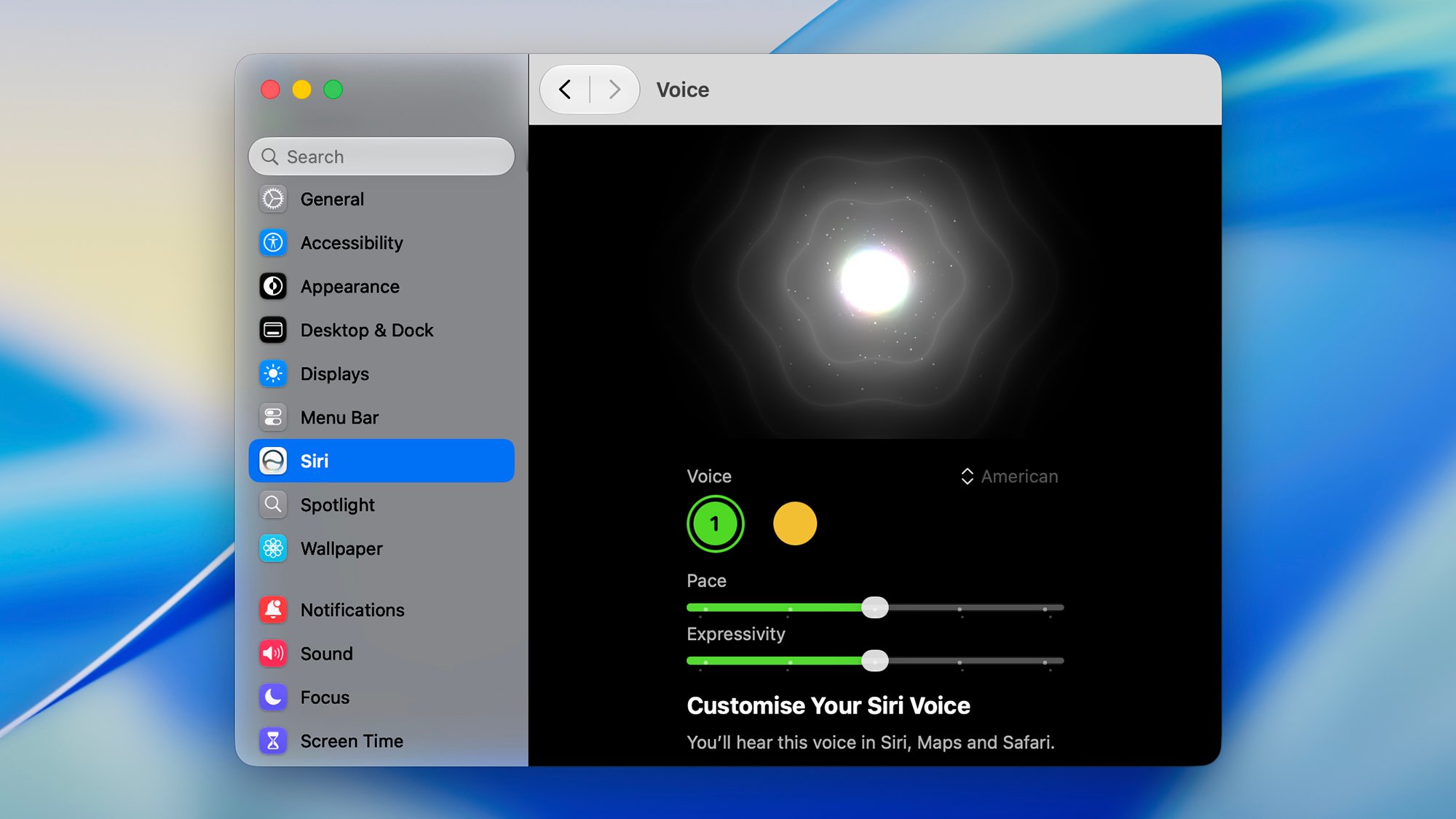
As mentioned above, on the latest Apple devices, you can now find extra customization options via Siri in Settings (iPhone and iPad) or System Settings (Mac). You can choose between a selection of voice styles, and you also get sliders that adjust the pace and the ‘expressivity’ that Siri AI uses when talking.
Don’t forget the standalone app too, which is new with Siri AI. You can launch it just like a normal app, and the interface lets you browse through recent conversations with the assistant, carry on from where you left off (even if you’re now on a different device), and delete chats you no longer need.
Disclosure: Ziff Davis, Popular Science’s parent company, filed a lawsuit against OpenAI in April 2025, alleging it infringed Ziff Davis copyrights in training and operating its AI systems.

2025 PopSci Best of What’s New