As someone who works from home full-time, creating clear boundaries between my personal and professional life is non-negotiable. When it hits 5pm, I close the door to my home office, fully intent on not thinking about work until 9am the following day.
But the human brain doesn’t quite function like that. It’s impossible for all work-related thoughts to immediately vaporise like in an episode of Severance.
Instead, what I really want is a good work-life balance. I keep my work emails and Slack well away from my phone, but there was a problem I kept running into. Article ideas and urgent reminders continually popped into my head during my free time, but I had nowhere appropriate to note them down.
Foundry
My “solution” had been to add it to a personal to-do list, before transferring it to the work one as soon as I returned to my desk. But these little reminders of my work worries meant that stress seeped into my free time. Sending emails to my work account was just as clunky, and relied on me manually copying them to my to-do list.
However, I’ve finally found the perfect solution in the form of a totally free and endlessly useful hack.
The unexpected Todoist hack
When I switched to Todoist a few weeks ago, it was for simple reasons. The backlog on Microsoft To Do had become totally overwhelming, and I wanted to start fresh with something more intuitive. Todoist seemed like the ideal option.
But it was only after a work-related idea popped into my head during free time for the 104534536546436th time this year (maybe a slight exaggeration) that I discovered the game-changer: email forwarding.
It’s impossible for all work-related thoughts to immediately vaporise like I’m in an episode of Severance
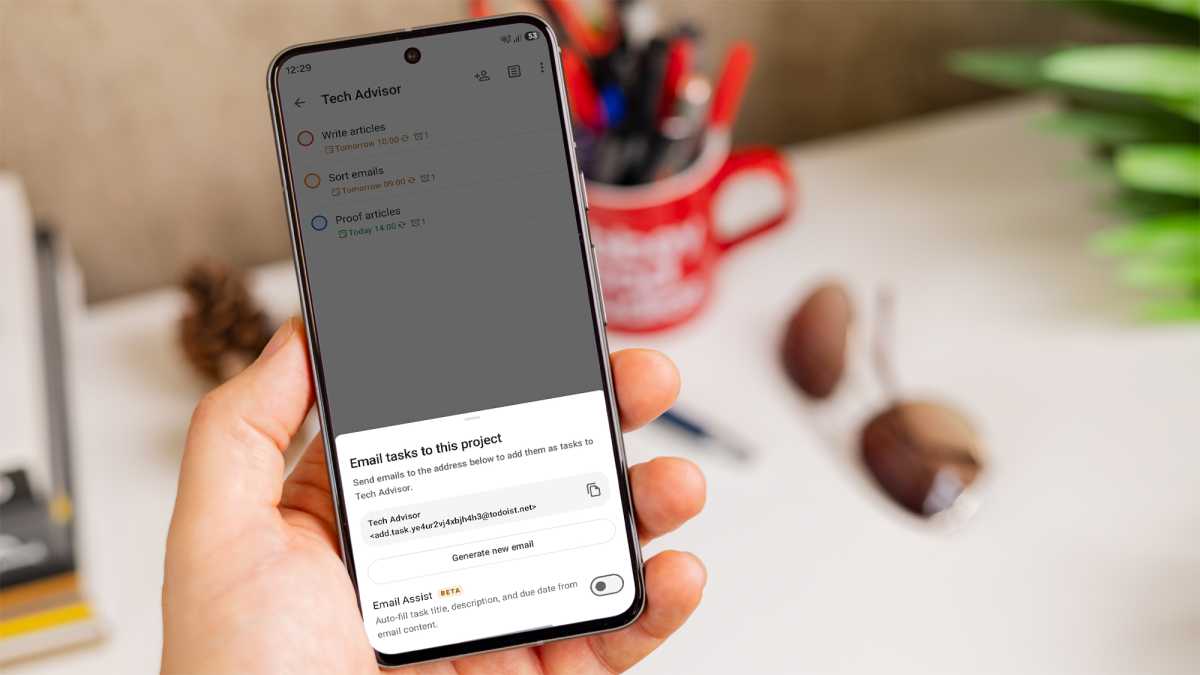
This totally free feature allows you to send any emails to a unique Todoist email address and have them converted into tasks. As the name suggests, it’s primarily designed for forwarding emails that need dealing with, but you can also compose brand-new ones.
For your main ‘Inbox’ and each of your active ‘Projects’ (up to five are allowed on the free tier), you can create a separate email address. The subject line you choose becomes the name of the task, with anything in the body becoming an attachment.
I was sceptical, but thought I’d give it a try. Within three minutes, the task had popped up in my Todoist account, just like magic.
Foundry
While I’ve only used this basic version of email forwarding, Todoist offers lots of useful fine-tuning for free. By simply adding
My era of to-do list clutter is officially over
If you use labels, simply add an @ followed by the label name. Priority is indicated by p1, p2 or p3, and you can even assign a specific collaborator using the +firstname\ lastname template.
Even in the few weeks I’ve been using it, Todoist has given me the peace of mind that was totally lacking in my previous systems. My era of to-do list clutter is officially over.
It’s not an exaggeration to say that it’s had a transformative effect on my work-life balance. Now, when I get a lightbulb moment in the shower, I’m safe in the knowledge that my work to-do list is only ever a quick email away. And then I can forget all about it.