I try to avoid Google apps wherever possible, which increasingly means seeking out alternatives to the most basic apps whenever I buy a new Android phone. Fortunately, there’s a single open source app suite that is a one-stop-shop for app replacements: Fossify.
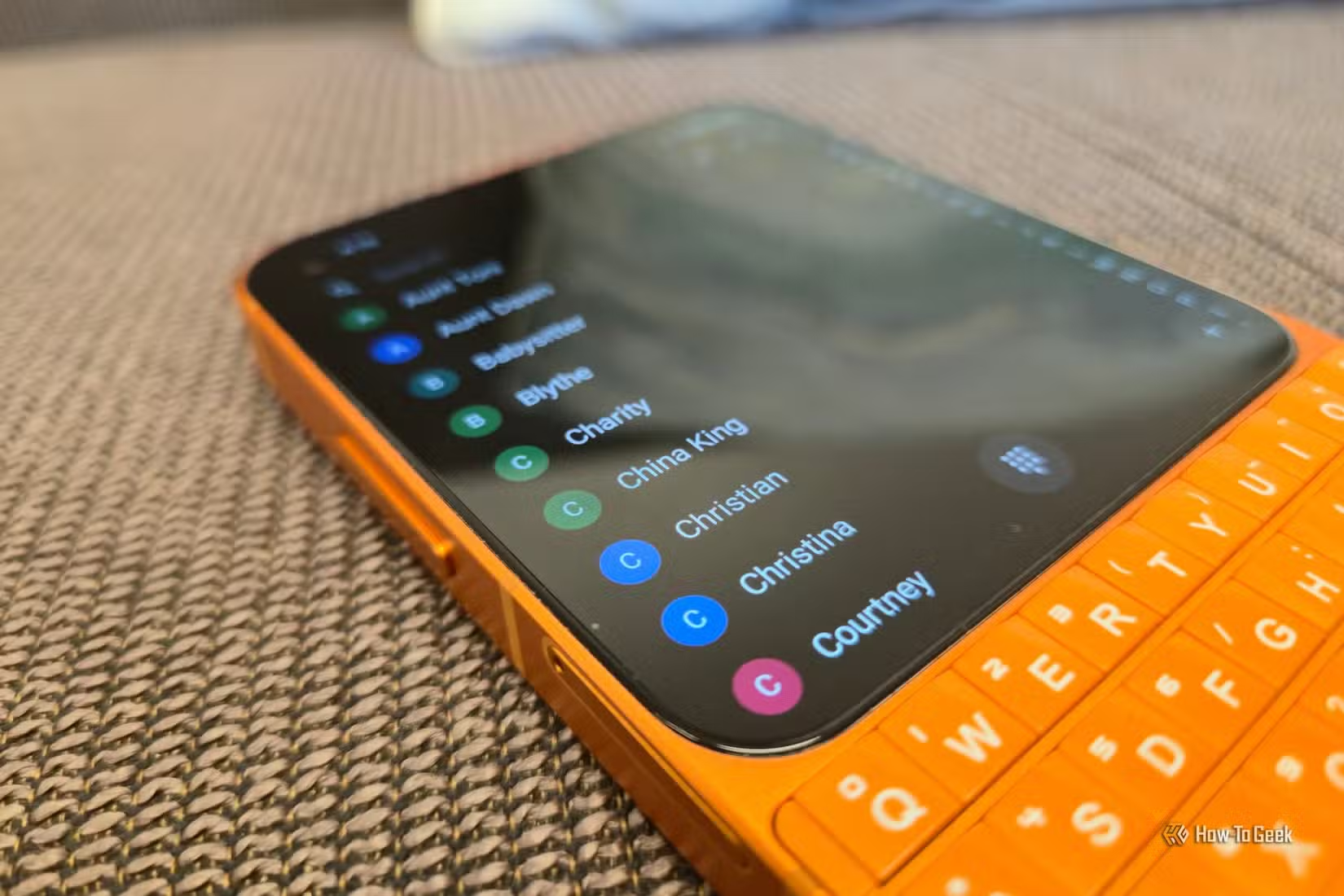
Fossify apps are a fork and continuation of the Simple Mobile Tools suite that, unfortunately, was sold off to a company that has since pumped those formerly open source apps full of ads and tracking. Fossify is private, trustworthy, and available on F-Droid. Here are the apps I currently have installed. Also, be prepared for square-shaped screenshots, because I have these apps installed on a Unihertz Titan 2 Elite.
Fossify Phone
There isn’t much to say about a dialer app. Fossify Phone displays your contacts, saves your favorites, and displays call history. It also places calls.
This is what I love about the entire Fossify suite. Each app is focused on the fundamentals. You won’t find live transcriptions or any other AI integrations here. What you have is an app for placing calls.
The dialer, like all other Fossify apps, can be customized. You can change the app icon color as well as the color used throughout the app itself. I’m currently opting for deep OLED blacks across the entire suite.

Fossify Contacts is technically a separate app, but it looks functionally the same as Fossify Phone when first launched. In fact, the floating dialpad icon is also present, so you could just as easily use this as a dialer app as well.
The primary difference between the Phone and Contacts apps is that the latter makes it easier to add new contacts and has a tab for creating groups in place of the call history. If, like me, you don’t organize your contacts into groups, then you can remove tabs entirely and keep the app as simple as possible.
Fossify Calculator
Continuing on through the basics, we have a calculator. Most of us open up a calculator app to do basic math, so it really doesn’t matter much which one we have installed. Fossify Calculator calculates as well as any other.
If you need help with more advanced math, then this is not the app you want—it is not a scientific calculator. On the flip side, it does have a built-in unit converter. That means you can convert measurements, temperatures, speed, energy, and more without needing to open a browser or ask a chatbot for help.
Fossify Gallery
This is my favorite app in the entire suite. Here is a straightforward gallery that shows all the photos saved locally to your device and provides the tools to organize those images into albums. You have the option to switch between a folder-based and a timeline-based view.
Fossify Gallery comes with basic image editing, which might be enough to save you from weeding through the many sketchy alternatives in the Play Store. Though if you want admittedly useful AI features like an object eraser, you won’t find that here.
Even when I was using a Samsung Galaxy Z Fold 6 as my PC, I still had Fossify Gallery installed thanks to one key feature it has that Samsung Gallery lacks—the ability to resize an image to exact dimensions.
Fossify Voice Recorder
As a way to quickly record audio, Fossify Voice Recorder is all I need. I particularly like its design. It also provides ample options for choosing an audio format, a structure for naming my files, and flexibility in how I want them saved to my device.
Thing is, voice recordings are one area where I want more than the bare minimum. I often want to read a transcription of what I’ve spoken, so that I can copy and paste that into another app. For that reason, Fossify isn’t the only voice recorder I have on my phone. Notely Voice is a free and open source app available on F-Droid than can transcribe recordings locally on my device, and so far I’ve been pleased with its results. I can quickly record myself using Fossify’s app, then open that file in Notely Voice when I want a transcription.
Fossify Calendar

Calendar apps have been a part of phones since well before Google Calendar, and Fossify Calendar feels a bit like a throwback to those days. For some of us, that isn’t a bad thing. I don’t need all that fancy graphics and added flair that comes with Google’s app.
Fossify Calendar works with local calendars by default, but I am able to sync it with my Nextcloud account by using DAVx⁵ to handing syncing in the backend. Events I enter into Fossify Calendar then sync via Nextcloud to my wife’s phone as well as the Skylight Calendar in our home, where our kids can see them.
These are hardly the only apps in the Fossify suite. I want to particularly give a shoutout to the Fossify Clock, Notes, File Manager, and Music Player. These apps are all functional, but I just happen to have other open source options I prefer. With the addition of the Fossify Launcher, Keyboard, and Camera (all currently in beta), the suite is that much closer to being a genuine drop-in replacement for all the core apps on your phone.


5/10
- Brand
-
Unihertz
- SoC
-
MediaTek Dimensity 7300
- Display
-
4.5-inch, 1440 x 1440; 2-inch 410 × 502
- RAM
-
12GB
The Unihertz Titan 2 is a successor to 2023’s BlackBerry-inspired Unihertz Titan. This new model comes with a newer version of Android, updated specs, a lighter build, and a refreshed design.