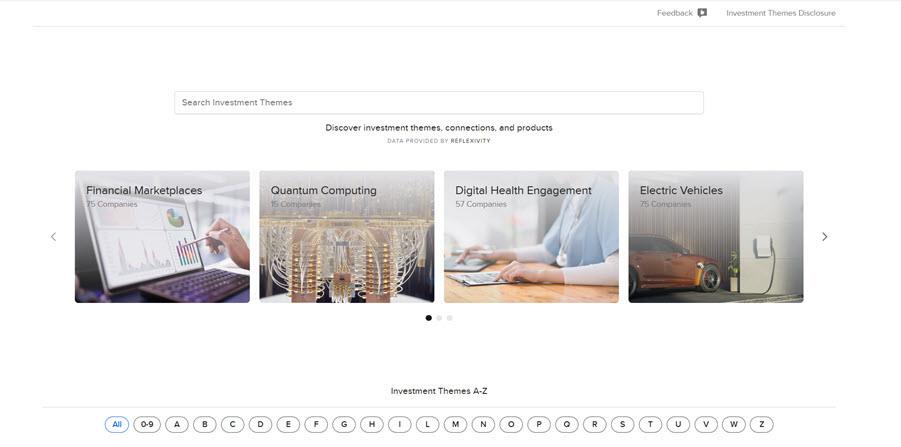
Electronic trading major Interactive Brokers has expanded the capabilities of its Client Portal by adding Investment Themes for Funds, Fundamentals for Funds, and Connections for Funds.
Investment Themes for Funds
Discover funds organized by key investment themes, such as sectors, trends, and strategies. This feature helps you quickly identify and compare funds aligned with specific market opportunities, making it easier to diversify and explore new exposures.
To access this feature:
- Navigate to the Research tab followed by Investment Themes
- Browse or search for Themes and S&P 1500 companies.
- Click a Theme and select Investment Theme Overview to view details and related instruments.
- Click the Funds tab to view a comprehensive list of all available Funds in this theme.

Fundamentals for Funds
Access key fundamental data for funds to support evaluation and comparison. View performance metrics, holdings insights, and other essential information in one place to make more informed investment decisions.
To access this feature:
- Click the Research tab followed by Fundamentals Explorer.
- Enter a Ticker Symbol or Company name in the search box.
- Use the tabs across the top of the page to view fund information.
Connections for Funds
Discover related investment opportunities through fund connections. Explore links between funds and other instruments to identify alternative exposures, compare options, and uncover new strategies.
To access this feature:
- Search for a financial instrument using the search box in the top right corner of your Portals screen.
- Select the financial instrument from the search drop-down menu.
- Select the Connections button from the top of your screen.
