Most people set up Google Wallet once for payments and never open it again. Once your credit or debit cards are loaded onto it, people simply tap and pay, and often don’t realize that Google Wallet holds a lot more potential.
Beyond payment methods, Google Wallet is an extremely useful app that holds a variety of different membership and loyalty cards. This can effectively make Google Wallet your one-stop shop for all your saved cards, memberships, or loyalty programs you have signed up for. The best part is that Google Wallet automatically fetches cards and passes directly from your email.
Here are five different types of apps I’ve removed from my phone and stuck with using Google Wallet instead.
Loyalty card apps
Grocery and pharmacy apps with loyalty programs
This is perhaps the most useful feature in Google Wallet for me, beyond making payments. Thanks to Google Wallet, not only can I make a payment at a grocery or pharmacy store, but I can also quickly scan my loyalty program pass within Google Wallet. This has essentially removed applications I use here in the UK, such as Tesco, Sainsbury’s, Boots, and Morrisons. For those in the US, you can add your Kroger, CVS, Walgreens, and Safeway rewards cards the same way.
Beyond groceries and pharmacy stores, you can also add retail shop loyalty cards. Imagine walking into a clothing store, trying out a piece of clothing you like, and you’re now at the payment counter, and you’re asked for your membership details. So, now I’m either installing the app again, or it’s sitting in my phone solely for scanning a barcode or providing the membership number.
With more brands out there than anyone can track at this point, the likes of H&M and Marks & Spencer are just a few brands whose apps in my phone solely exist to access their membership details.
This is another instance of Google Wallet stepping in, as it can store these barcodes, QR codes, or membership numbers, so that you don’t need several retail brand apps in your phone, especially if you don’t order from their app.
Transport apps
Get your OMNY, Ventra, SmarTrip, or Clipper cards on Google Wallet
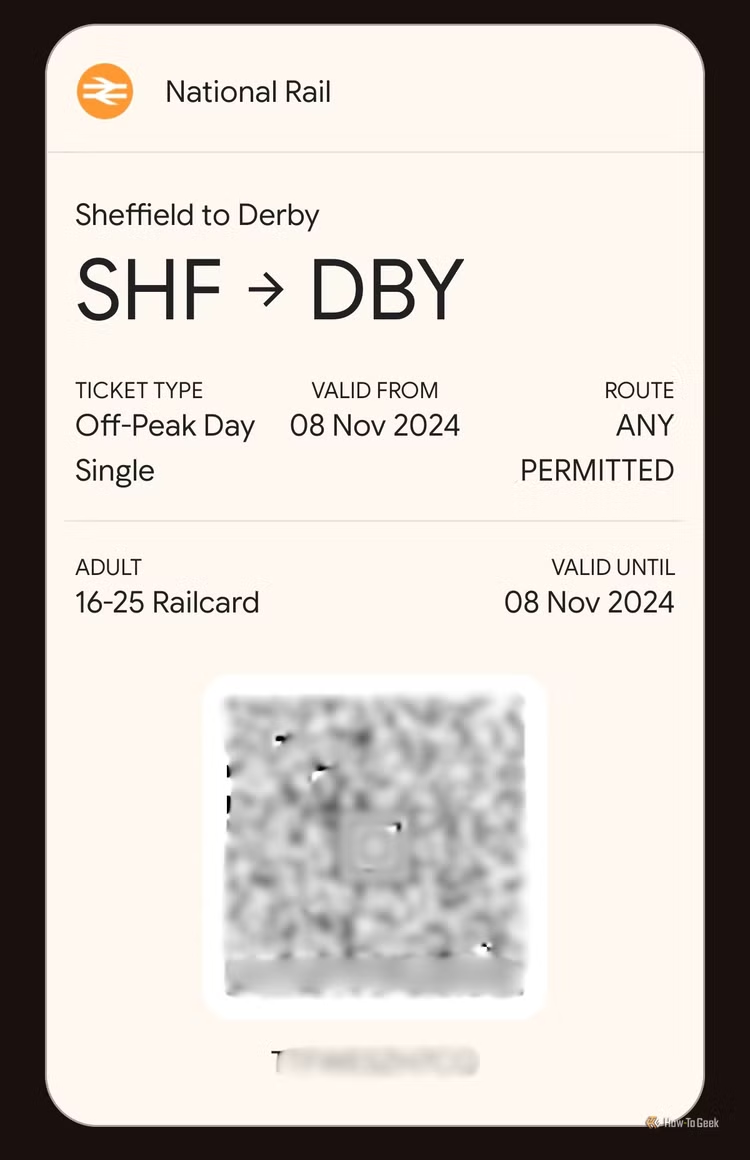
Since public transport is largely tap-to-ride in the UK, the US, and Europe, Google Wallet comes in incredibly handy in day-to-day life. You can add your OMNY, Ventra, SmarTrip, Clipper, or any travel card to Google Wallet instead of carrying it physically on you for traveling. So, Google Wallet doesn’t have to be your alternative just in case you forget your card. It can essentially replace having their respective apps or carrying them on you physically.

Once these cards are loaded onto your Google Wallet, you can use them for travel, check your balance in the Google Wallet app itself, and even top up the card. That effectively means you don’t necessarily need the dedicated app for each of these cards. Given that OMNY cards don’t even have an app, Google Wallet is a better, more accessible choice.
Then, there’s another overlooked feature in Google Wallet. Google Wallet can use your public transport payment methods at transit barriers at a station without unlocking your phone (just make sure NFC is on). Go to Wallet Settings, choose Verification settings under the Security section, and pick Public transport payments. Here, you can disable the ‘Verification required’ option to allow Google Wallet to work without verifying your identity, and it will work even when your phone is locked.

Airline or flight status apps
No apps needed to track flights or to access boarding passes
Google Wallet is also a great accessory for boarding flights. Once your flights are confirmed, Google Wallet can automatically fetch your flight tickets, boarding passes, and loyalty program memberships. More importantly, you receive live updates to track your flight status. You can even find out real-time flight updates, such as gate changes, delays, and even boarding calls, through Google Wallet.
Event tickets apps
Keep movie tickets, music concert tickets, and festival passes ready to show
For those who attend music concerts, festivals, match tickets, movie tickets, and other ticketed events, Google Wallet can be used to store tickets from official platforms such as Ticketmaster, Eventbrite, StubHub, and a lot of different tickets that land in your Gmail inbox.

So if you’re in the queue at the events, you can simply open your Google Wallet. Given how network connections become dodgy, especially when you need it to work flawlessly, you can rely on something lightweight, such as Google Wallet, rather than standalone events apps that may load the events feed page first, rather than taking you straight to your tickets.
Everything else
No kidding. If there’s a barcode or QR code, Google Wallet can store it
Time for the craziest one. Google Wallet is a powerful app that scans your inbox to find so many cards, passes, membership numbers, loyalty programs, and so much more. Beyond all that, Google Wallet allows you an option that you wouldn’t find on Apple Wallet. That’s the ability to add your cards and memberships manually.
Everything that Google Wallet does not officially recognize or detect can still land on your Google Wallet. This makes Google Wallet your ultimate storage option for all your essential cards and passes. So, that’s your local gym membership, Starbucks gift cards, student IDs, hotel loyalty programs, and so much more. Simply take a photo of your card’s barcode or QR code, and then Google Wallet can create a scannable version of it in the app.
As you can see from the gallery above, even my (expired) Student ID from university can be added, and that’s especially useful for those who gain access to select sections of university buildings, including the library and department-specific areas, using the student ID. There have been a lot of instances for me when I didn’t have my Student ID on me and wanted access to the library. Google Wallet is the best solution I have found so far.
Set up Google Wallet and remove apps immediately
Google Wallet is already on your Android phone, and chances are that you use it almost daily. Most of these overlooked features are right there to take advantage of. So, the next time you’re about to download yet another app just to store a QR code, consider using Google Wallet to store it instead. Bring the barcode or QR code over to Google Wallet, and then delete those apps to save space in your phone.
