Free, open-source software makes the world go round, but the open-source community also creates some of the best apps out there, many of which trump their paid alternatives. We recently shared five standout examples of free and open-source apps that hold their ground against their paid rivals, and today I’m sharing another batch of fantastic FOSS apps that are completely free and better than what you’d pay for.
LibreOffice
The best Microsoft Office alternative out there

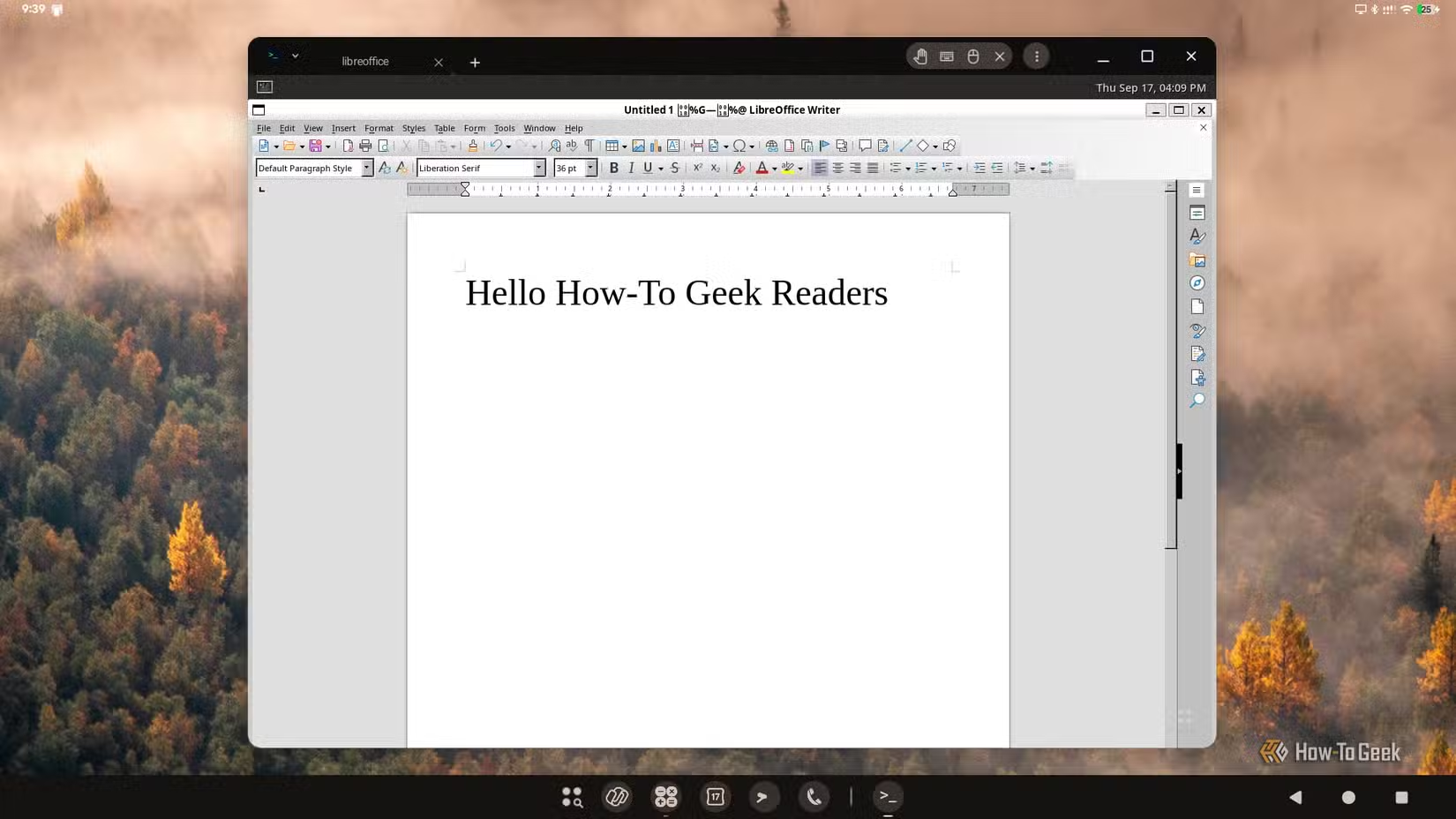
LibreOffice has been around for more than 15 years, and in that time, it has evolved into the best Microsoft Office (or Microsoft 365, if you want to call it that) alternative on the market. It’s done that while staying open-source and completely free.
The suite consists of six apps that cover most of what Microsoft Office offers, and then some, and its biggest strengths are that everything you create is shared only with the people you want to share it with and that the entire suite works fully offline. In recent years, LibreOffice has also been a better choice because it doesn’t push a ton of unnecessary AI features down your throat, something that can’t be said about Microsoft 365 apps.
The suite works fine with Microsoft Office file types, but it actually uses its own native format, called OpenDocument, which is free to use and isn’t controlled by any company. Unlike its biggest paid rival, LibreOffice works the same across Windows, macOS, and Linux. It’s also flexible, letting you choose between a modern ribbon and a classic toolbar-style layout, write macros in Basic or Python, and use the suite however you like.
Its UI may not be as pretty or flashy as Microsoft Office’s, but LibreOffice sure gives it a run for its money when it comes to versatility, privacy, robustness, support for different formats, and price. The beauty of the open-source community is that there are always options, so if you’d rather use a suite that more closely matches Microsoft Office, check out ONLYOFFICE.
Syncthing
Open-source and free file synchronization across all your devices
Instead of sending your files to a giant cloud residing in some mammoth data center and then distributing them across your devices, Syncthing uses peer-to-peer technology and encrypted TLS connections to connect your devices directly with each other, giving each one easy access to your shared files.
With Syncthing, you can sync any file or folder you want and make it available on every device you use Syncthing on with a few clicks or taps. You can also use a device purely for storage, with your files kept in an encrypted format that no third party can read. This means you can use a machine you don’t fully trust, like a rented server, as your own private cloud. Or you can set up a home server or NAS to do the same job and keep everything in sync even when your other devices are off.
Syncthing works across all major desktop platforms, as well as Android and iOS via unofficial apps, and it comes with a well-designed web interface you can use to manage it from any browser. The software is completely free and private, and the only storage limit is the size of your disks, not how much you’re willing to pay each month to keep access to your files.
Darktable
An offline Lightroom alternative that’s completely free
While you can use Lightroom Classic offline, the app will still occasionally contact Adobe servers to verify the license. Oh, and you also have to pay for it each month. By contrast, Darktable is free, open-source, and fully offline.
But being free and working offline aren’t its only advantages over Lightroom. Darktable also offers an immensely powerful suite of tools that beats Lightroom at its own game in multiple areas. For instance, Darktable lets you stack multiple instances of the same module in a single edit; it’s got powerful modules for adjusting highlights and shadows (Highlight Reconstruction and Tone Equalizer), and it packs a granular masking system that may take more time but can be much more precise and powerful than the one in Lightroom.
On top of all that, Darktable doesn’t lean into AI tools as Lightroom does, and it gives you an incredible amount of control over your photos. This means that the learning curve is steeper, but once you learn the ropes, you’ll be able to use Darktable’s tools to create much more complex workflows than Lightroom allows.
Audacity
The world’s most popular audio editing and recording app, for good reason
Aside from being free and open-source, Audacity is also easy to get into and suitable for most real-world tasks, from editing podcasts to digitizing physical media to polishing recorded music, and everything in between.
Another strength over paid solutions is its popularity, so if you want to learn it, you’ll find a treasure trove of excellent, completely free learning materials across the internet. On top of that, the community has created a ton of plugins for the app, and it supports all major plugin formats, meaning you should be able to pair Audacity with a collection of plugins that lets you use it however you want, no matter your workflow.
Unlike many of its rivals, Audacity also works great on Windows, macOS, and Linux. And while it’s easy to learn, it also hides a number of powerful tools that will take some time to master. All this makes Audacity arguably the best free multi-track audio editor and recorder and one of the crown jewels of the global open-source community.
ShareX
This extremely powerful screenshot tool is somehow free

The only real downside of ShareX is that it’s only available on Windows. Everything else is near-perfect. The app is open-source, ridiculously powerful, and filled to the brim with useful tools. Its automation capabilities are second to none, and it works great even on old PCs. It’s a fantastic alternative to Snagit and Windows’s own Snipping Tool.
On top of that, ShareX is completely free, imposes no limits, adds no watermarks, and lets you use its full suite of utilities the moment you install it. While it beats Snagit in most areas, it can be daunting the first time you open it (I know it was for me). But if you’re patient, explore the menus, toy around with options, and check out some tutorials, you’ll be using ShareX’s advanced features in no time.
The beauty of ShareX is that you can use it any way you want. For instance, I use it on some of my handheld PCs to grab full-screen screenshots without ever reaching for advanced options. On my Windows desktop, though, I use the app not only for that but also to annotate screenshots, to grab only portions of the screen, and sometimes to record my screen. And that’s only a fraction of what ShareX is capable of. It truly is the best screenshot and screen recording tool on Windows.
Embrace the open-source side; it doesn’t have cookies, but the money you save will buy you mountains of them
Many modern open-source apps can offer everything their paid rivals can, and then some. They can be just as powerful and versatile while also featuring increasingly intuitive, well-designed UIs, which wasn’t always the case in the past. Of course, the best part of the pitch is that most open-source apps are completely free, which can save you tons of cash in the long run while still leaving you with top-notch tools.