It’s no mystery that there’s a bountiful harvest of excellent open-source apps for Android. All five of the utilities in this article should be on your phone if they’re not already. They are all open source, have no ads or trackers, and they all just work.
Sefirah
Finally, a good PC companion app
Microsoft requires an online Microsoft account to use Phone Link. It also reserves its basic features, like clipboard mirroring, only for premium Samsung phones. I ditched it for the Sefirah app
Sefirah is a local tool, and all its features work on all Android phones.
It auto-detects other computers, phones, or tablets on your network. Tap a device on the visual map to connect to it. You can get all your apps, notifications, and messages in one place here. To send messages back, it comes with a fully featured text and the same thing.
The one feature that I use the most is clipboard mirroring. Copy text on one device, and it should instantly show up on the other device.
PhotoSwooper
Tidy up your gallery by swiping left or right on photos
I don’t like to organize my files or photos on a tiny phone screen. But you have to at some point because these things take up so much space. And you don’t want to keep them all. It’s actually surprising just how much of it is just clutter.
Then you have to scroll a lot and click so many tiny image thumbnails just to see which ones you want to keep and which ones you want to delete.
This app takes the idea of swiping on dating profile apps and applies it to your photos. You can just swipe so you can just swipe right to keep files, swipe left to delete them.
It’s completely free. There are no ads and the developer said there will be there will never be ads.
PhotoSwooper walks you through its features during setup. It has an undo button if you accidentally swipe on an image. There is also a review before deleting marked photos and videos. Then click the delete button. You can customize a lot of the features, like which folders to exclude.
Neo Store
Google’s Play Store is not your only option for sourcing high-quality Android apps. On Android phones, you can install alternative stores where you can install apps with a single tap, just like you do on the Google Play Store.
The F-Droid project is one of these main alternatives. It’s much safer than the Google Play Store because it does not let the developers package and upload the apps. It builds those apps using the public source code that has been provided by those developers. It builds those packages, verifies that they’re safe, and only then it uploads them to the store. So we get high-quality, safe apps without ads or nasty trackers.
Neo Store is one of the app stores for this F-Droid repository. It lets you add a lot of repositories outside the official F-Droid repos, too. So it can have a lot more apps than the default store. All the apps I recommend can be downloaded from this store.
Their interface is really smooth, and it feels fresh. You can update all the open-source apps on your phone at once.
The latest tab has all the updates and new releases. Explore apps by category or see the most downloaded apps on the store in the Explore tab.
F-Droid has an official mobile app too, but it’s clunky and slow, which is why I prefer Neo Store. The developers should combine their efforts and make Neo Store the official app, or just work more closely together.
Heliboard
Gboard is a privacy nightmare
No keyboard app should ever connect to the internet. Gboard and Microsoft SwiftKey are constantly phoning back home. They are sending back info like which app you’re typing in and how long you’ve typed in that app for.
They are also recording your keystrokes. But they do not send that data back. That stays on your device. Instead, an Android JobScheduler wakes up when your phone is plugged in at night and online. It downloads an AI model from the internet.

That AI model runs a training session on the keystrokes logged during the day. It then sends that training data back to Google or Microsoft. They call this federated learning. Google claims that because they are just sending this training data back and not the actual content of your typing history, it’s safe.

- SoC
-
Snapdragon 8 Elite Gen 5
- Display
-
6.3-inch Dynamic AMOLED 2x
- RAM
-
12 GB
- Storage
-
256 or 512 GB
Researchers from a European university, however, have reverse-engineered the original text from training data that Google’s keyboard sends out. They even managed to put the recovered words in the right order. They didn’t need any special access because they just extracted the AI model from the official Gboard app.
And this is the default keyboard app on billions of Android devices.
Your keyboard app should stay offline and it should not record your keystrokes under any conditions.
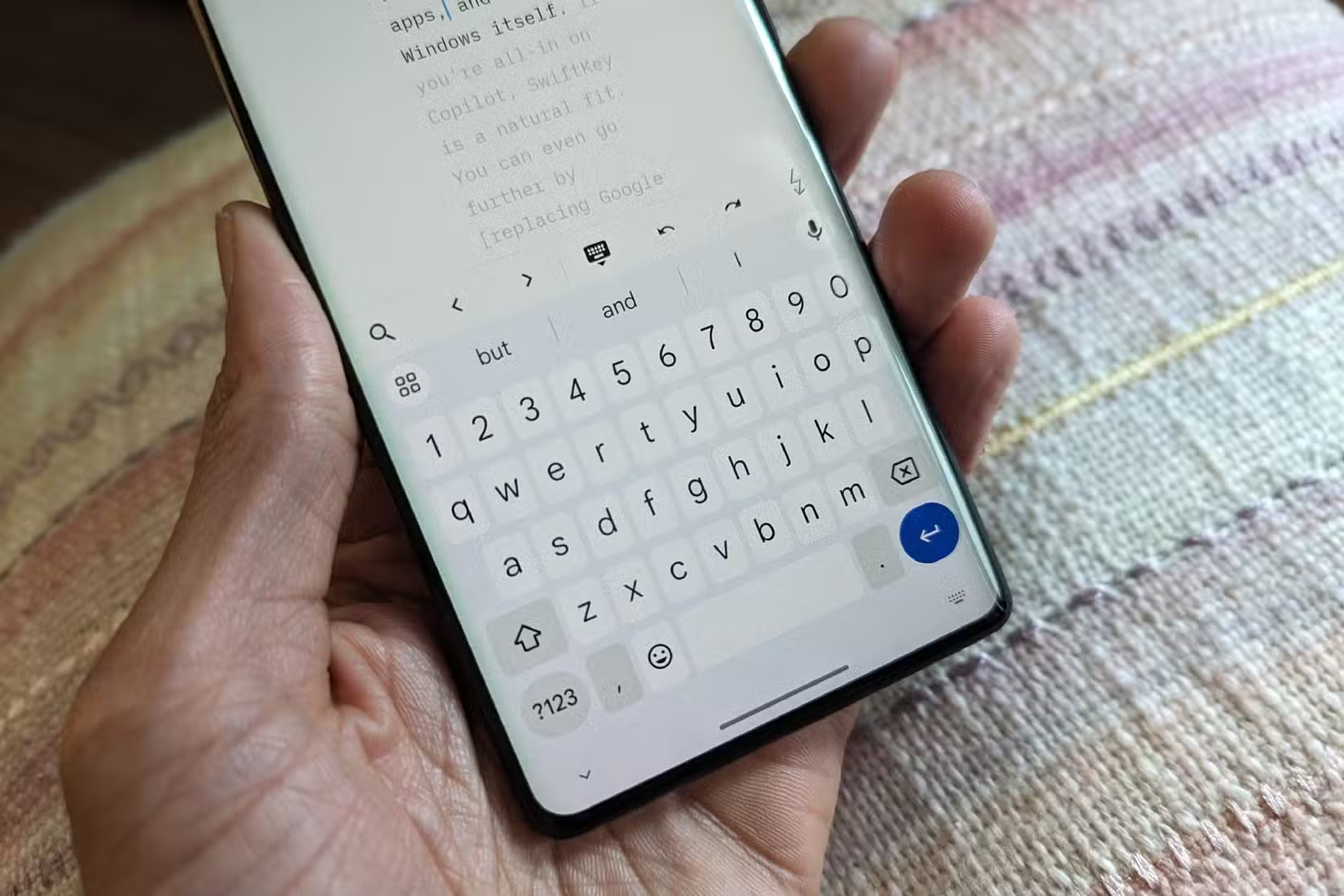
Everyone should use Heliboard instead. And it’s completely offline. It has more features than the Google Gboard app. If you import an offline library into it, it will even give you gesture typing.
It’s a free and open source app, and its code is available online for anybody to audit. So you know exactly what it’s doing on your phone.
LocalSend
The open-source Airdrop
LocalSend connects your devices over your local network.
So as long as both devices are connected to the same network (same Wi-Fi or same router connection, for example) You can send files. You can use it to send files or folders. You can share text and links. It’s really simple.
This is an app that the more people who use the better it is for everybody. Genuinely cross-platform because it actually works on every single platform. Androids, iPhones, tablets, TVs, and laptops. computers, and it even works on my jailbroken Kindle.
The beauty of Android is that it has always been open source. And the open source community loves it. They develop amazing apps for it all the time. But you might not see them on Google’s front pages.