You probably don’t think about your subscriptions until the moment you do—and when you finally add them up, it’s never a comfortable number. The good news is that you can replace many of these subscriptions with free, open-source software. Here are three FOSS apps that can help you save money by canceling some of the subscriptions you’re probably paying for right now. The only catch is the setup, which can take a couple of hours—but that’s exactly what weekends are for.
ONLYOFFICE
Close enough to Microsoft Office that switching doesn’t feel like switching
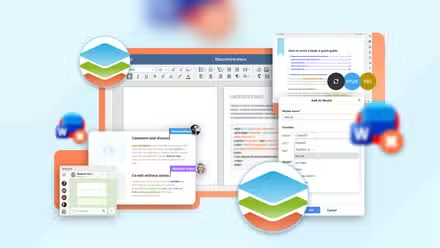
ONLYOFFICE is a FOSS alternative to your Microsoft 365 subscription. It gives you a fully featured office suite with dedicated apps for documents, spreadsheets, presentations, PDFs, forms, and diagrams. Now, I know what you’re thinking: isn’t LibreOffice the go-to FOSS office suite? Yes, it is—and while it’s extremely feature-rich, it’s not always the best option for people coming from Microsoft Office.
You see, LibreOffice is built around the Open Document Format (ODF). As a result, DOCX, XLSX, and PPTX files need to be converted before LibreOffice can fully work with them. That conversion process can sometimes make complex Microsoft Office documents—especially ones with heavy formatting or intricate layouts—look slightly off.
ONLYOFFICE, on the other hand, was deliberately built around OOXML, the same file format Microsoft Office uses natively. That means Word and Excel files usually open looking exactly as they did in Microsoft Office. On top of that, ONLYOFFICE uses a modern ribbon-style interface, making it feel far more familiar to longtime Microsoft Office users.
For most people, ONLYOFFICE will provide everything they need. The main limitations only start to appear for power users who rely on Microsoft-specific features like VBA or advanced Excel macros. But at that point, you’d likely run into similar issues with almost any FOSS office suite, including LibreOffice.
ONLYOFFICE is available on Windows, macOS, Linux, Android, and iOS. You can also self-host it.

I replaced Microsoft Word with a self-hosted, open-source alternative
It also includes a spreadsheet and presentation editor!
Jellyfin
A media server that doesn’t ask you to pay to watch your movies and TV shows
Jellyfin is a FOSS alternative to the Plex media server. If you’ve never used Plex before, the simplest way to think about it is as your own private Netflix—except instead of streaming someone else’s catalog, it streams the movies, TV shows, and music files you already own. That means Jellyfin can also potentially replace your Netflix subscription.
Jellyfin doesn’t come with its own library of movies and TV shows like Netflix does. You need to own the media you watch. What Jellyfin does is let you build a personal media server so you can stream your own content across all your devices—and even share it with friends and family.
You install the Jellyfin server on a machine at home, point it to your media folders, and it organizes everything into a clean, Netflix-style interface that works across phones, TVs, browsers, and pretty much any screen in your house. It scans your files, downloads posters and metadata, organizes everything into libraries, and streams it on demand.
Now, Plex does have a free plan, but paywalls some useful features—remote streaming, hardware transcoding, offline downloads, the ability to skip the intro and credits, and more—behind a monthly subscription. With Jellyfin, you get all of these features for free. It also has a large plugin ecosystem, making it significantly more customizable than Plex.
 Quiz
QuizPopular open source apps
Trivia challenge
From browsers to image editors — how well do you really know the world’s most beloved open source software?
BrowsersProductivityGraphicsSecurityPlatforms
Which organization develops and maintains the Firefox web browser?
Correct! Firefox is developed by Mozilla, a nonprofit organization dedicated to keeping the internet open and accessible. Mozilla released Firefox 1.0 back in 2004, and it quickly became a popular alternative to Internet Explorer.
Not quite — Firefox is made by Mozilla, a nonprofit tech organization. While the Apache Foundation and Linux Foundation are both prominent open source stewards, Firefox has always been a Mozilla project since its debut in 2004.
What does the acronym GIMP stand for in the popular open source image editor?
Correct! GIMP stands for GNU Image Manipulation Program. It was first released in 1996 and has grown into a full-featured alternative to Adobe Photoshop, used by millions of designers and photographers worldwide.
Not quite. GIMP stands for GNU Image Manipulation Program — the GNU prefix reflects its roots in the GNU Project, the same initiative that helped give rise to the Linux ecosystem. It’s been a go-to free image editor since 1996.
LibreOffice was forked from which other well-known open source office suite?
Correct! LibreOffice was forked directly from OpenOffice.org in 2010, after Oracle acquired Sun Microsystems and concerns arose about the project’s future. The Document Foundation was created to steward the new fork, which has since become the more actively developed of the two.
The right answer is OpenOffice.org. When Oracle took control of Sun Microsystems in 2010, many contributors worried about the project’s direction and created LibreOffice as a community-driven fork. Apache OpenOffice is actually a separate project that also came from the same OpenOffice.org codebase later on.
Which open source media player uses the tagline ‘plays anything’ and is known for supporting virtually every video format?
Correct! VLC media player, developed by VideoLAN, is famous for its ability to play almost any audio or video format without needing additional codecs. Its iconic traffic cone logo is recognized by users around the world, and it has been downloaded billions of times.
The answer is VLC, made by the VideoLAN project. VLC is celebrated for its codec-free approach to media playback — it can handle almost any file format you throw at it. Kodi is also open source and great for home theaters, but VLC’s universal compatibility is truly its superpower.
Which open source tool is widely used for network scanning and security auditing, often described as the ‘Swiss Army knife’ of network utilities?
Correct! Nmap (Network Mapper) is a powerful open source tool used for network discovery and security auditing. First released in 1997 by Gordon Lyon, it can identify hosts, open ports, and running services on a network, making it a staple in any security professional’s toolkit.
The answer is Nmap (Network Mapper). While Wireshark is excellent for analyzing network traffic and Metasploit is a powerhouse for penetration testing, Nmap is the classic go-to tool for scanning networks and discovering hosts. It’s been a cybersecurity essential since 1997.
Blender is a popular open source 3D creation suite. Which foundation oversees its development?
Correct! The Blender Foundation, established in 2002 by Ton Roosendaal, oversees Blender’s development. The foundation also produces open movie projects like ‘Big Buck Bunny’ and ‘Elephants Dream’ to showcase Blender’s capabilities and fund further development.
It’s actually the Blender Foundation, set up specifically to manage and fund Blender’s development. Founded by Ton Roosendaal in 2002, the foundation has championed Blender into one of the most powerful and widely used 3D tools available — all completely free and open source.
Which open source project serves as the basis for Amazon’s Fire OS and many other Android-derived operating systems?
Correct! The Android Open Source Project (AOSP) is the open source foundation that Google maintains, which manufacturers and developers can build upon. Amazon’s Fire OS, LineageOS, and many other custom Android variants all trace their roots back to AOSP code.
The correct answer is the Android Open Source Project (AOSP). Google releases Android’s core as an open source project, which companies like Amazon use as the foundation for their own operating systems. LineageOS is also AOSP-based, but it is itself a derivative — not the original source.
Which open source password manager stores your encrypted vault locally by default and is known for its cross-platform desktop clients?
Correct! KeePass is a free, open source password manager that stores your encrypted password database locally on your device by default, giving you full control over your data. It was first released in 2003 and has spawned many community ports across different platforms.
The answer is KeePass. Unlike cloud-first managers, KeePass keeps your encrypted vault on your own machine by default — no subscription, no cloud sync unless you add it yourself. Bitwarden is also open source and excellent, but it’s cloud-synced by default, which is a key difference.
Your Score
/ 8
Thanks for playing!
The main downside is the app ecosystem. Plex has been around longer, so its first-party apps tend to be more polished and consistent across smart TVs and gaming consoles. That said, Jellyfin’s Android, iPhone, Android TV, and tvOS apps are solid, so most people streaming to phones, tablets, or TVs likely won’t run into major issues.
You can run the Jellyfin server on Linux, Windows, macOS, and Docker.

I replaced Netflix with Jellyfin, and this app changed everything
Don’t limit yourself to the standard client.
Nextcloud
Make files on your hardware accessible from anywhere
Nextcloud is a FOSS alternative to Google Drive—or pretty much any cloud storage provider, for that matter. At its core, it lets you sync, store, and share files across devices, much like Google Drive, Dropbox, or OneDrive. The difference is that your files live on your own hardware instead on someone else’s servers.
In that sense, it’s similar to Jellyfin. Nextcloud doesn’t give you additional storage space—you’ll still need your own HDDs or SSDs for that. But if you already have the storage, Nextcloud lets you access it from all your devices so you can upload, download, sync, and share files from anywhere.

- Storage Capacity
-
4TB
- Brand
-
Seagate
A great combination of pricing and performance, the Seagate IronWolf is a great option for most NAS users. With a three-year warranty, three years of data recovery services included with purchase, and a workload of 180TB of data writing per year, this drive can handle just about anything you throw at it.
That said, Nextcloud isn’t just a cloud storage platform—its app ecosystem turns it into a broader productivity hub. You can use it for calendars, contacts, password management, Kanban boards, video calls, photo management, and even collaborative document editing through Collabora or ONLYOFFICE integration.
The core file-syncing features are solid and dependable, and the calendar and contacts features work reliably thanks to open-standards support. Where Nextcloud lags behind commercial alternatives is real-time collaboration and communication. For instance, Nextcloud Office and Talk both work well enough, but they’re not as polished or instantly responsive as Google Docs or Meet—especially if your workflow depends heavily on live collaboration.
The Nextcloud server officially runs only on Linux, though you can also deploy it on Windows or macOS using Docker. The client apps are cross-platform and available on Windows, macOS, Linux, FreeBSD, Android, and iPhone.
After Switching to Linux, This App Helped Me Drop Google for Good
One self-hosted app to replace them all?
Let this be your entry point into homelabbing
All three of these tools get significantly better when they have a dedicated machine, i.e., a homelab, to run on—whether that’s an old PC, a NAS, or even a Raspberry Pi running 24/7. It doesn’t need to be expensive or overly complicated, and once you get everything set up, you’ll probably wonder why you didn’t start sooner.

- Brand
-
UGREEN
- CPU
-
Intel 12th Gen N-Series
This cutting-edge network-attached storage device transforms how you store and access data via smartphones, laptops, tablets, and TVs anywhere with network access.