There is something deep in our nature that is always fascinated by transformations. Artificial intelligence (AI) made it possible for just about anyone with internet access to instantly swap faces of people. And the results are now more realistic than they have ever been. By using the best AI face swap tools, the results are now more realistic than they have ever been.
Whether you want to drop your face into a movie scene, create viral social content, or build personalized marketing campaigns at scale, the best AI face swap tools in 2026 can pull it off in seconds. This guide cuts through the noise and ranks the 10 best face swap AI options right now.
Quick Comparison: Top Face Swap AI Tools by VentureBurn
| Face Swap Tools | Supported Formats | Starting Price | Processing Speeds | Watermark on Free Plan | Best For |
|
JPG, PNG, WEBP, MP4, GIF | $9.99/month | Fast (< 10s photos) | Yes | Video face swap. |
|
JPG, PNG, WEBP, MP4 | Free plan, $5.99 | Fast (10-15 seconds) | No | Batch & Multi-Face Images |
|
JPG, PNG, MP4, GIF | Free, $3.99/week | Instant | Yes | Mobile face swap |
|
JPG, PNG, MP4 | Free, $6.90/month | Fast (5-10 seconds) | Yes | Quick & seamless photo swaps |
|
JPG, PNG, WEBP, MP4 | $9/month | Real time | No | Professional image optimization |
|
JPG, PNG, MP4, M4V | Free, $9.99/month | Medium | Yes | Corporate video editing |
|
JPG, PNG, MP4 | Free, $10/month | Fast (10 seconds) | No | Creative marketing |
|
JPG, PNG, WEBP | Free, $4.99/month | Medium (10-60 seconds) | Yes | Stylized images & avatars |
|
JPG, PNG, MP4 | Free, $9.99/month | Fast (5 secs) | Yes | Group outing photo swaps |
|
JPG, PNG, MP4, MOV | $21/month | 1-3 secs | No (Paid) | Enterprise & studio quality |
How Does AI Face Swap Technology Actually Work?
AI face swapping may sound complicated, but the basic idea is surprisingly simple. Imagine you have two pictures, one of your face and another of a movie character. The AI studies both faces carefully. This is how it works.
Face Detection and Landmark Recognition
Before any swap, the AI locates the face and pins down its key landmarks. It recognizes the corners of your eyes, tip of your nose, edges of your mouth, jawline, and other facial features.
Modern tools map between 68 and 478 of these points per face, building a geometric blueprint. If the source and target faces differ in size or angle, the algorithm warps one to match the other before blending begins.
The Role of Deep Learning and Neural Networks
Deep Learning and Neural Networks are what separate face swap AI tools from Photoshop. Most face swap tools, even the best free AI video generators, use a Generative Adversarial Network (GAN) generator.
A GAN creates the swapped image while a discriminator tool judges whether it looks real. Deep learning and neural networks keep improving each other in a feedback loop until the result fools even the discriminator.
The output matches the target’s lighting, skin tone, and expression convincingly. AI has learned from millions of photos and videos. That is why the best AI video face swap tools can now create videos that look almost real.
Key Features to Look for in the Best Face Swap Software
Not all tools are built the same. Here is what actually matters when choosing your platform in 2026:
- Output quality: Does the swap look seamless or pasted on? Look for 4K or HD output with natural skin blending.
- Video support: Photo swaps are table stakes. If you need face swap AI video, confirm the platform handles motion, lighting shifts, and multiple angles.
- Multi-face handling: Group shots require tools that can detect and swap several faces at once without losing accuracy on any individual.
- Processing speed: Some tools return results in seconds; others take minutes. At high volume, this gap matters.
- Privacy policy: Where do your uploaded photos go? The best face swap software deletes data promptly and does not use your images to train future models without consent.
- Watermarks: Free plans almost always watermark output. Check whether the paid tier removes them before committing.
- Ease of use: A three-step workflow. Upload, swap, and download is the gold standard for anyone who is not a professional editor.
10 Best AI Face Swap Websites & Apps Reviewed (2026 List)
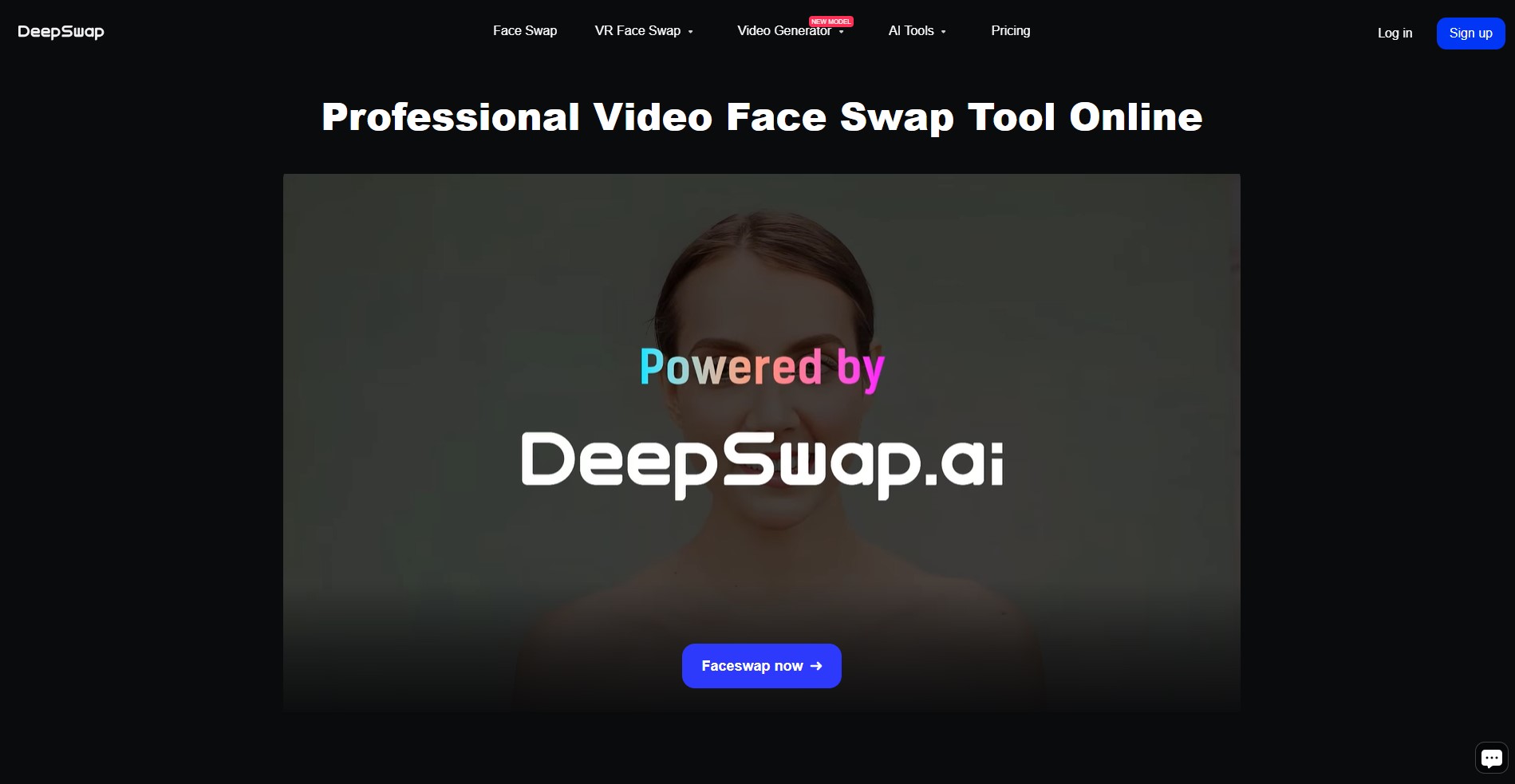
DeepSwap – Overall Best AI Video Face Swap Tool

Source: DeepSwap
DeepSwap launched around 2019 and has become one of the most-cited platforms in the category. Its proprietary deep learning model achieves over 90% face similarity accuracy.
The similarity of DeepSwap is roughly 20% higher than open-source alternatives. And it supports swapping up to six faces simultaneously. When the best AI video face swap output is the priority, DeepSwap is the clearest choice.
DeepSwap Key Features
- Cinema-Grade Video Processing: Effortlessly processes long video files up to 1080p and 60 FPS while keeping tracking markers locked perfectly onto the target subject.
- Instant Multi-Face Swapping: Allows creators to select and swap up to six distinct faces within a single image upload or video timeline.
- Up to 30-minute video on premium plans.
- Automatically matches extreme angles, side profiles, and fast-moving action sequences without dropping frames.
Pros & Cons
Pros
- Exceptional video realism.
- Broad format coverage.
- Strong privacy stance.
- No watermarks.
Cons
- Credits required from day one.
- Gets expensive at high volume.
Remaker AI – Best Free AI Face Swap Online

Source: Remaker AI
Remaker AI is a browser-based editing suite and one of the best free AI face swap online options today. It gives 30 free credits on sign-up plus daily check-in bonuses, making it one of the best AI tools for students who want face swaps. The toolset extends well beyond face swapping into image upscaling, background removal, and AI portrait generation.
DeepSwap Key Features
- Free sign up and daily credits.
- Seamless Multi-Face Web UI
- Offers hundreds of pre-staged templates (fashion, historical costumes, and pop culture) for instant creation.
Pros & Cons
Pros
- Genuinely generous free tier.
- No forced subscription.
- Strong batch processing.
- Broad toolset.
Cons
- Free outputs are watermarked.
- Video swaps burn more credits than photos.
Reface – Best AI Face Swap App for iOS & Android

Source: Reface
Launched in 2020 by a Kyiv-based startup, Reface has crossed 300 million downloads. It is popular for being the dominant best AI face swap app on mobile. It specializes in GIF-style and short video swaps using a pop culture template library, and its three-tap workflow makes it the fastest way to drop into a meme or movie clip.
DeepSwap Key Features
- Live mobile camera mapping across hundreds of cinematic clips in seconds.
- Unrivaled animated GIF database.
- Daily content refresh drops.
- Three-tap swap workflow.
Pros & Cons
Pros
- Fastest mobile experience available.
- Always-fresh template library.
- Extremely beginner-friendly.
Cons
- Limited to templates.
- Free tier is ad-supported.
FaceSwapper.ai – Best for Quick & Seamless Photo Swaps

Source: Faceswapperai
FaceSwapper.ai is a lean faceswapper with one promise. You upload, swap, download. Its free plan gives 10 credits per day without requiring an account, which is rare in this category.
It is among the best face swap software because it auto-deletes all uploads within 48 hours. It also has one of the best AI music generators in this category. Paid plans run from $6.90 per month for 199 credits to $19 per month for unlimited swaps.
DeepSwap Key Features
10 free daily credits
48-hour upload auto-deletion.
Unlimited plan at $19/month.
Pros & Cons
Pros
- Extremely fast image processing speeds.
- Clean, distraction-free interface.
- High-quality output file retention.
Cons
- No video file uploads.
- No support for advanced multi-face group adjustments on base canvas.
Pixelbin – Best for Professional Image Optimization

Source: Pixelbin
Pixelbin was built to provide incredibly clean, distraction-free single-photo transformations. It is an API-first image transformation platform from the Fynd ecosystem.
Pixelbin is the best AI video face swap for developers and e-commerce. Face swap here is part of a real-time media processing pipeline. With Pixelbin, you can perform face swaps and integrate them into an existing product or automate high-volume image workflows.
DeepSwap Key Features
- Enterprise bulk action pipelines.
- Robust production-ready API access.
- Comprehensive studio editing tools.
- Real-time face detection and swap.
Pros & Cons
Pros
- Enterprise reliability.
- Strong API documentation.
- Excellent for automated high-volume workflows.
- High-resolution outputs suitable for large-scale print
Cons
- Not built for casual users.
- Steep learning curve.
- Face swap is a feature, not the focus.
Vidnoz AI – Best for Multiple Faces in Group Photos

Source: Vidnoz AI
Vidnoz AI pairs face swapping with avatar video creation, AI voice cloning, and text-to-video on an affordable plan structure. Its multi-face detection is its standout strength.
Vidnoz AI maintains accuracy across every individual in a group frame. Plans start at $4.99 per month for 80 credits, with an annual option at $19.99 for 1,000 credits.
DeepSwap Key Features
- Multi-face group swap.
- AI avatar and explainer video.
- Voice cloning and text-to-speech.
- Talking photo.
Pros & Cons
Pros
- Great accuracy for group scenes of different genders, ages, and skin tones.
- Access to a wide variety of broader video creation tools.
- Clean, professional user dashboard.
Cons
- Free tier features strict video length limits.
- Renders complex video slowly.
MioCreate – Best Fast Face Swap AI Video Generator

Source: MioCreate
MioCreate offers genuinely free photo and video face swapping. You can access most of the features without immediately subscribing to a paid plan. With its integrated code feature, MioCreate is also one of the best AI for coding platforms for swapping faces.
It stands out further with real-time collaboration, letting teams or friends work on the same creative project simultaneously. If you want the best free ai face swap tools without watermarks, this is where to start.
DeepSwap Key Features
- High-speed cloud processing.
- Drag-and-drop collaboration canvas.
- Multi-format media support.
Pros & Cons
Pros
- Best genuinely free video face swap.
- Unique collaboration tools.
- Solid format support.
- Very clean, straightforward web app experience.
Cons
- Free tier caps video length and quality.
- Fewer advanced editing features than paid platforms.
Artguru – Best for Artistic & Avatar Face Swaps

Source: Artguru
Artguru goes beyond straight face swapping into artistic transformation. It offers style filters, 8K upscaling, old photo restoration, and AI headshots.
It has a very powerful generative adversarial network (GAN) engine used by other generators. Artguru can completely transform your features into anime styles, oil paintings, mythical gaming avatars, or cyberpunk concept illustrations.
DeepSwap Key Features
- Artistic style transfer integration.
- High-definition avatar generation.
- Text-to-image synthesis tools.
Pros & Cons
Pros
- Strong creative use cases.
- Excellent image enhancement tools.
- Good free evaluation tier.
Cons
- Not the strongest for video face swap.
- Less well-known than its quality warrants.
Pica AI – Best for Group Photos and Absolute Beginners

Source: Pica AI
Pica AI is designed for users who want polished results with zero friction. Its group face swap is reliable, and its AI headshot generator. Pica AI can turn casual selfies into LinkedIn-ready portraits.
Pica AI features an exceptionally smart automatic identification system that handles family vacation group shots and casual party pictures beautifully, allowing absolute beginners to get impressive results on their very first try.
DeepSwap Key Features
- Group photo face swap.
- AI headshot generator.
- Image unblurring and 4K upscaling.
- Old photo restoration.
Pros & Cons
Pros
- Beginner-friendly interface.
- Easiest learning curve on the list.
- Headshot feature delivers standalone value.
- Covers photo enhancement and face swap in one plan.
Cons
- Not suited for long-form video.
- Quality can slip at unusual face angles.
Akool – Best for Professional & Studio Quality

Source: AKOOL
Akool is the enterprise heavyweight here. It serves clients, including Coca-Cola and Qatar Airways. Its video face swap engine preserves lip sync, lighting, and skin tone on moving, speaking subjects.
What makes Akool stand out is that it uses large language models (LLMs) that can rival those on some of the best AI resume builder and best AI website builders 2026. This is why Akool has some of the best manipulation, generation, and swap faces using plain-text instructions.
DeepSwap Key Features
Studio-grade video face swap with lip-sync · AI avatar creation · Real-time streaming avatar · Video translation in 150+ languages · Enterprise API and custom model training
Pros & Cons
Pros
- Best professional video output quality.
- Trusted at multinational campaign scale.
- Full proprietary model stack.
Cons
- Expensive for individual users.
- Credit system burns fast on 4K.
- Overkill for casual or entertainment use.
Photo vs. Video Face Swapping: What’s the Difference?
Photo Face Swaps
This type of swapping is the simpler task. The AI receives a static image, maps the face landmarks and blends the source face onto the target. Because it has to do this only once, it delivers a finished file in seconds.
Because there is no motion involved, errors are easier to catch. Results are more consistently convincing. Most platforms handle photo swaps well, even on free plans.
Video Face Swaps (Deepfakes)
Video is categorically harder to make. Instead of one image, the AI processes every individual frame while keeping the swapped face consistent across all of them. Any flicker, misalignment, or skin tone shift between frames is immediately visible to the human eye.
The more complex the video, the more complex the task becomes. This is precisely why the best AI video face swap platforms like DeepSwap and Akool carry a price premium; their models are specifically trained to maintain consistency across hundreds of frames in motion.
Tips for Getting the Best Face Swap Results
To get absolutely flawless, professional-grade results that look completely real, you cannot just throw any random picture into an AI generator. Following these simple preparation steps will instantly elevate the quality of your creations:
- Use high-resolution images. Make sure your image is at least 1080p. A blurry selfie produces mediocre results on even the best tool.
- Match facial angles. A front-facing source swaps most cleanly onto a front-facing target.
- Consistency: Keep lighting consistent between source and target. If the light is opposing, even the best models may struggle.
- Use photos where the face is the main subject, not buried in shadows or a crowd.
- For video, test with a short clip before processing a longer one.
Is AI Face Swapping Safe? (Privacy & Ethics)
AI Swap technology itself is neutral. While it is safe, the risk lies in how it is used and where your data goes. Uploading a photo means trusting a platform with biometric information.
Unlike some of the best AI for writing models that keep your data to train their models, many of the best face swap software, like FaceSwapper.ai auto-deletes uploads after 48 hours. DeepSwap states it removes files after a set period and does not collect user data.
Before uploading to any platform, check how long files are stored on their servers. Also, check whether your images are used to train future models or whether your data is shared with third parties.
Data Retention Policies
Stick to platforms that clearly state their data retention policies. Even if it’s the best AI face swap app, avoid using it if data practices are hidden in legal jargon. AI face swapping can become harmful when it is used without consent.
In 2026, several platforms have added consent prompts and mandatory content watermarking. Some jurisdictions have passed laws specifically targeting non-consensual deepfakes. Always get consent from any real person whose face you use, and never deploy swapped content to deceive or harm.
Final Thoughts: Choosing the Right Tool
There is no single answer to the best AI face swap tool in 2026. It is the right answer for your specific situation. DeepSwap is strong on video realism. Remaker AI and MioCreate should be your choice if budget is a major constraint. In fact, finding the best free swap ai depends heavily on whether you need quick photo edits or watermark-free videos. If you’re a professional who doesn’t want to negotiate on campaign quality, choose Akool.
Reface remains the king of fast mobile swaps. When choosing, lead with your use case rather than the feature list. Answering questions about working with photos or video, the free/paid plans available and output quality will help you choose the right tool. Always remember to create responsibly and enjoy experimenting with the incredible creative power of AI.
FAQs: Best Free AI Face Swap Tools
What is the best free AI face swap tool in 2026?
Remaker AI is the strongest free option for most users. You get 30 credits on sign-up and daily bonuses. If you want no watermarks, use MioCreate.
Can I use AI face swap tools commercially?
Yes, on paid plans. DeepSwap, Akool, and FaceSwapper.ai allow commercial use on paid tiers. This feature isn’t available on most free plans.
Are AI face swap tools safe to use?
Yes. But always verify data retention periods and whether your images are used for model training.
Which is the best AI face swap app for iPhone and Android?
Reface remains the most downloaded face swap app with over 300 million installs. Pica AI and Remaker AI are also great on mobile devices.
What makes video face swap harder than photo face swap?
Video requires the AI to process every frame individually, while keeping the swapped face consistent across motion, lighting changes, and expressions.
Is it legal to create face swap content?
Yes, for entertainment, personal use, or consented creative projects in most jurisdictions. But for non-consensual deepfakes, misinformation and impersonating real people, it is illegal in many countries.