Choosing the right tools can have a huge impact on our productivity and digital well-being. For a long time, I relied on popular proprietary software, but I always felt like something was missing. The apps were powerful, but I didn’t have full control, and I was wary of the data they collected. That’s when I discovered the world of open-source software, and it completely changed how I work, create, and manage my digital life.
Let me share the open-source apps that have become essential to my daily routine and explain why they have made my life feel more complete.
Does it need an introduction?
VLC Media Player topping the list shouldn’t surprise anyone. I tried several media players, but always ran into the same problems. One player couldn’t handle a specific file format, another was filled with ads, and a third felt slow. Then I found VLC Media Player, and my search for the perfect media player was over.
The biggest reason for picking VLC Media Player is its unmatched format support. Whether I throw an old AVI file, the latest MKV file, or even a heavy 4K file, VLC handles everything without breaking a sweat. I have yet to run into a ‘file not supported’ error with VLC.
Another reason is simplicity, a clean interface, and a lightweight nature. Whether I use it on my eight-year-old HP Spectre or an ancient Intel-powered MacBook Air, VLC feels responsive. And as is the case with all the open-source apps on the list, VLC has nailed the cross-platform availability.
LibreOffice
My ideal Microsoft 365 alternative
I have been a die-hard Microsoft 365 user for ages. For years, I paid my subscription without a second thought and assumed it was the only way to get a full-featured office suite. But with a recent price hike because of a forced Copilot integration, I decided to make a switch to LibreOffice.
LibreOffice offers feature-rich alternatives to Word, PowerPoint, and Excel. I can write documents in Writer, manage numbers in Calc, and create stunning slides in Impress. And since it works fine with Microsoft 365 formats, I don’t have to think twice about opening and editing files from colleagues.
Brave Browser
Browse the web like a pro

Although Firefox is a popular option in the open-source community, I went with Brave for several reasons. First of all, it’s based on Chromium, so I don’t miss any of my existing Chrome.
Brave is highly customizable, where I can tweak every part of the interface. What sets it apart is that its ad and tracking blocking isn’t an add-on, but a fundamental part of the browser itself.
It blocks the vast majority of bogus ads and stops websites from tracking my every move across the internet. Other useful features include the Brave Reward program, crypto wallet, built-in AI assistant, the ability to switch between search engines on the go, and more.
Grocy
Handle your home chaos in style

Maintaining a household with minute details is never an easy task. For years, I used a combination of sticky notes, a whiteboard, and a half-hearted spreadsheet to keep things in order, but it was never truly organized. That all changed when I found Grocy.
It’s a household management tool and has quickly become the single most essential app for running my home.
For example, I can use Grocy’s equipment section to keep track of large appliances, small gadgets, and any information like warranty details associated with them.
There is also a built-in meal planner where I can write down my recipes with minute details and plan my weekly or monthly meals in advance. Another neat add-on is a battery tracker, where I can note down battery details for all my important gadgets. It’s an open-source app and comes with a self-hosting nature as well.
Super Productivity
The name says it all
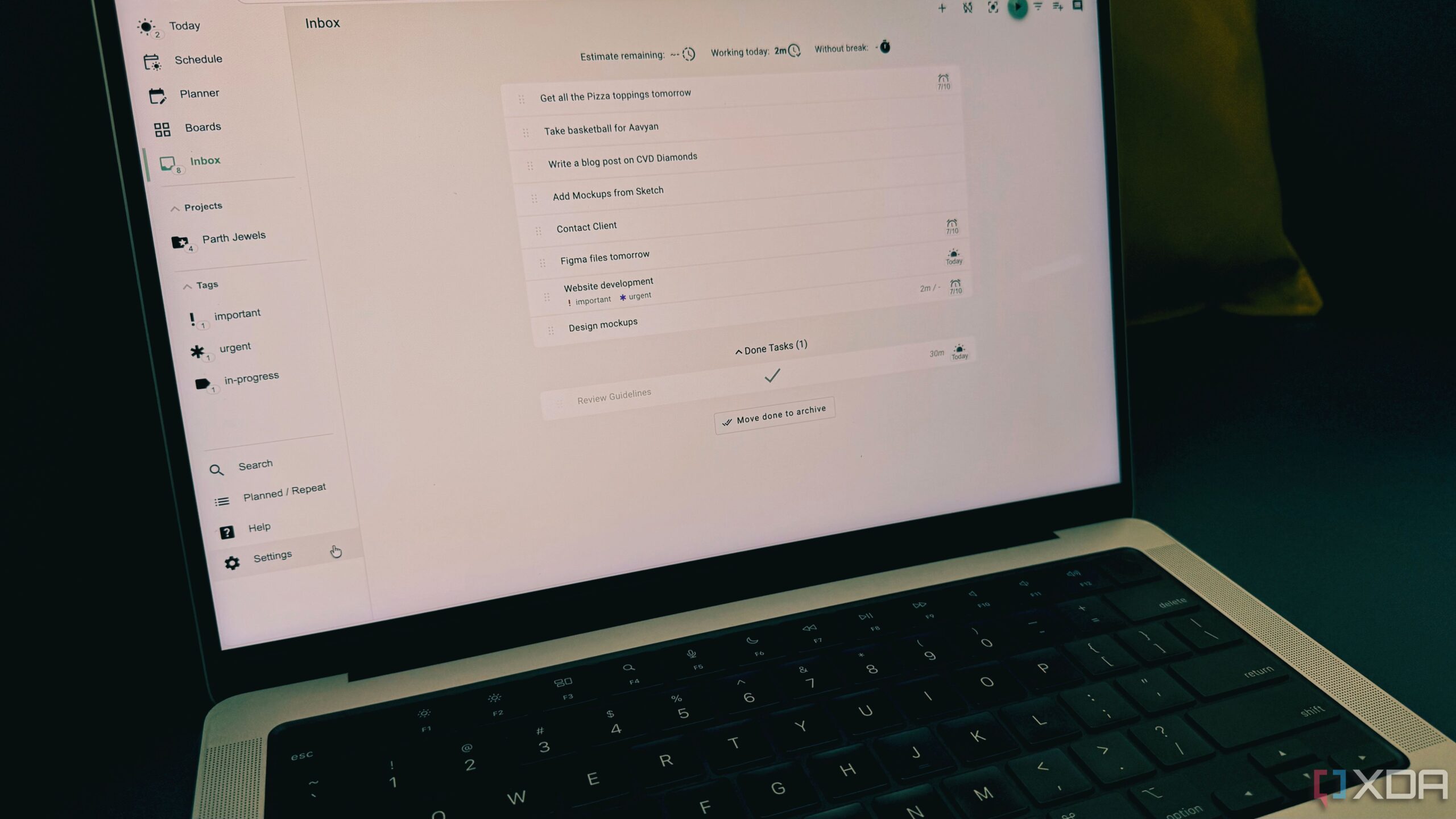
When it comes to task and project management, I wanted a solution that is free, open-source, and does the job without any flashy interface and a zillion features. I knew I needed a better way to manage my work and time, and that’s where I stumbled upon Super Productivity.
It combines several productivity techniques into a single application. The task management system is solid, where I can add tasks with due dates, relevant details, and glance over everything with a weekly view. It also supports the Eisenhower Matrix to prioritize important tasks for the day.
But it doesn’t stop here. Super Productivity also integrates a time-tracking feature, which allows me to show how much time I spend on each task. I can also mark tasks as ‘done’ and see a satisfying progress bar at the end of the day.
Notesnook
OneNote, who?
After trying every note-taking app on the market, I grew tired of the constant trade-offs. One app was great for organization but lacked security (Evernote), and another was secure but had a clunky interface (Joplin). I was looking for a solution that combined the best of all worlds: a clean interface, robust features, and privacy.
That’s when I found Notesnook, and it has since become a digital hub for thoughts and ideas.
The biggest reason is privacy. It’s built with end-to-end encryption. It is a joy to use. The interface is clean, fast, and easy to navigate. I can organize my notes in notebooks, organize them by tags, and use the Markdown language to fly through my notes.
Home Assistant
Automate your home

Home Assistant gives me complete control over my smart home ecosystem. The magic of Home Assistant is its ability to integrate with almost any smart device on the market.
Whether it’s my Philips Hue lights, my Xiaomi vacuum cleaner, or smart switches from another company, I can manage everything and create automations that were impossible before.
The best part is that everything is handled locally. The state of my lights, the temperature of my home, and other essential details never leave my network unless I choose to share them.
Building my best digital life
Of course, these are only my personal recommendations. The open-source community is vast and ever-growing. You can always go ahead and explore other apps like Bitwarden, Firefox, Thunderbird, HomeBox, Firefly III, and more, and integrate them into your daily life.

