I’ve been on a bit of a kick lately, trying to run Windows apps on Linux through novel solutions like WinApps and WinBoat. These tools rely on virtualization and FreeRDP to bring full Windows apps to the Linux desktop, and it works fairly well depending on the apps you use.
But by jumping straight to those options, I ignored one of the most popular long-standing ways of running Windows apps on Linux: Wine. Instead of virtualizing or emulating Windows, Wine brings these apps to the Linux desktop by translating Windows API calls into POSIX calls in real time, allowing actions to be interpreted by the Linux operating system. This typically means there’s less overhead, resulting in better performance. Unfortunately, though, it also introduces more limitations and challenges.
What works
Old apps are usually welcome
Wine is most successful when trying to run older Windows apps with APIs that are already well established and stable, with no new changes happening to them. I was able to install apps like Winaero Tweaker (more on that in a bit), as well as run portable versions of Photofiltre 7 and Textroom. PhotoFiltre 7 was a little bit slower than usual at loading images, but the app is never particularly fast, so it was alright.
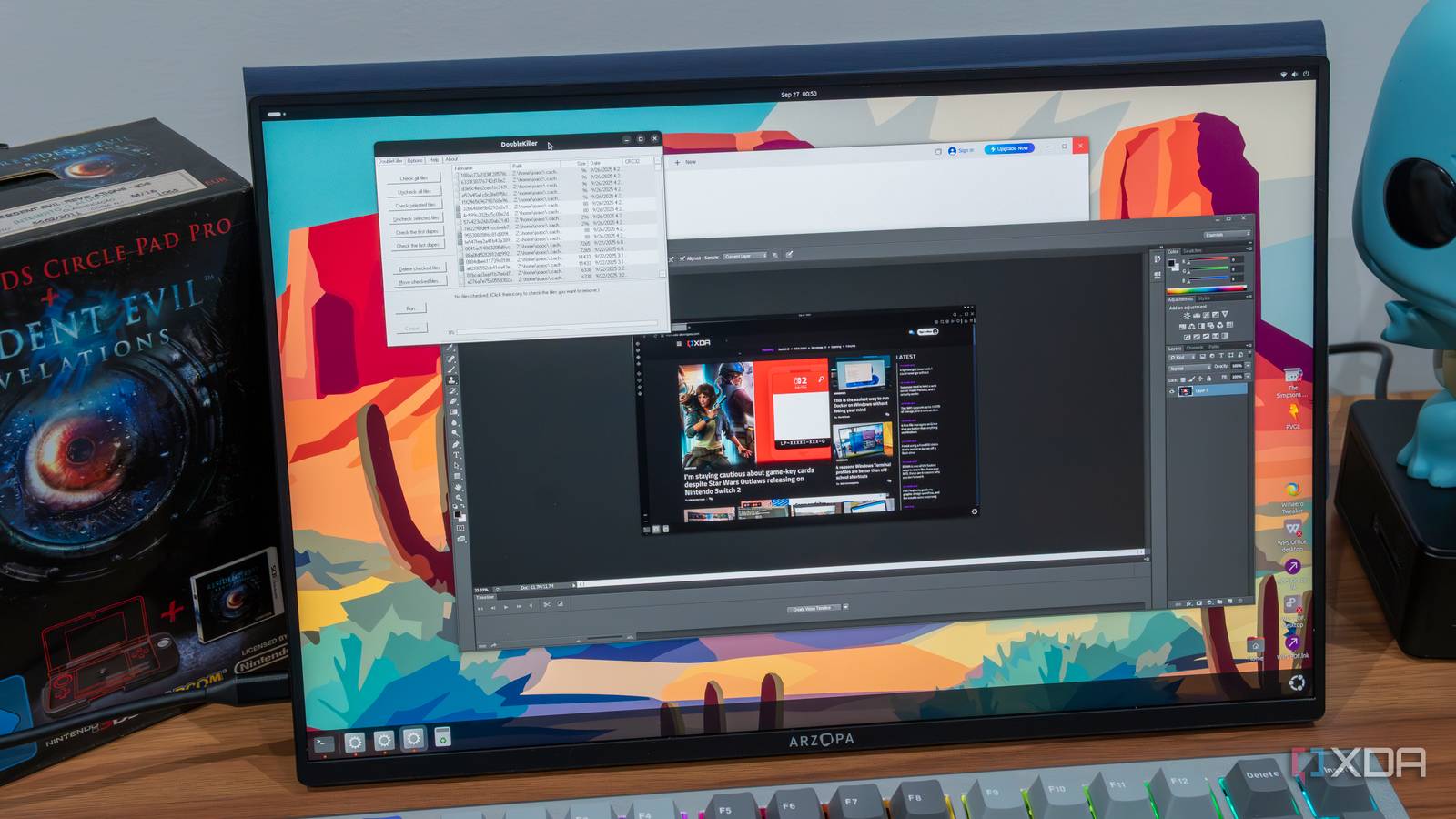
I also dug up a very old HDD that I had containing a totally legitimate copy of Adobe Photoshop CS6 from when I was in school. That too installed fine and seemed to work without major issues, though there were some visual glitches with the UI not updating properly for certain changes. Actually using the app worked alright, including the selection tool that remains one of my favorites in the business, even in this old version.
One tool that I thought was particularly surprising was DoubleKiller, which I covered a while back when talking about old-school Windows apps that are still great. DoubleKiller actually ran totally fine on Linux, and its ability to detect duplicates still seems to work on the Linux file system. You just want to avoid pointing it to system folders where it might try to delete essential files.
I also wanted to try a game, so I went ahead and downloaded Re-Volt, particularly the RVGL fan project that revived that title for modern hardware. This project actually has a native Linux build, but I wanted to try the Windows version, and to my surprise, it actually worked completely fine for the little time I had with it. I started a single race and went around for a bit with no issues to point out. The framerate may not have been as high as a native version would be, but there’s quite a bit that Wine can handle.
I also tried running an installer for Microsoft Office 2016, but without an activation key, I wasn’t able to proceed. Things looked promising, though. Some other apps were almost successful. The reason I installed Winaero Tweaker was because I remembered it included links to recreated versions of classic Windows apps, and I thought I could try to run those on Linux. I tried things like the classic Windows 7 games, and while the installer for the package worked fine, the actual games crashed each time. Some, like Mahjong and Purble Place did get me to the menu screen, but broke immediately afterwards. Similarly, apps that mimic the Windows 7 Sticky Notes and Gadgets both seemed to install but not launch.
Modern apps are a problem
Virtualization is more reliable
I had my fair share of problems with running Windows apps through solutions like WinApps, but if you’re in a pinch, I found that they were at least usable in acceptable conditions. Photoshop didn’t work, but Microsoft Office did, and so did apps like Affinity Photo 2 or Adobe Lightroom.
While Wine can run an old version of Adobe Photoshop (which I admittedly didn’t test in WinApps), it’s not any better for modern apps. In fact, it’s much worse. I couldn’t even properly launch the installers for Adobe Creative Cloud or Affinity Photo 2. Likewise, the latest apps for Microsoft 365 didn’t bring up the installer at all, though an older version might work if you have a product key, as I mentioned.
WPS Office — another app I used through WinApps mostly alright — did launch the installer, but the Wine server crashed during the installation process, and the apps themselves didn’t work. Sometimes WPS Office did open, but I wasn’t able to create or edit any files. Essentially, any modern I could think of that doesn’t have a Linux version didn’t seem to run through Wine.
To be fair, the team does warn that newer apps are less likely to work, and a lot of these apps have weird custom UIs and advanced features that can trip up a system like this. But I still didn’t expect the success rate to be so low. Wine is decidedly more tailored for running older apps, but I have to wonder how many people are truly interested in that and only that.
WinApps is imperfect, but it’s still better
More apps are supported, at the expense of performance
After my time with Wine, I believe I would still rather use WinApps if I really need a Windows app on my Linux PC. I don’t really use a lot of the old apps that work well through Wine, and with the newer ones all being so troublesome, I just have no real reason to keep it on my system.
That being said, the apps that do run through Wine seem to do so with noticeably better performance. Just the fact I was able to play Re-Volt at all is very impressive, and if there are classic games like this you miss, Wine is probably a great way to bring them back. I wasn’t able to get it to work with other titles like Total Immersion Racing or Simpsons Hit & Run (I don’t have a fascination for car games, I just didn’t know what else to look for), but those also have messy DRM problems involved. I’m sure there are a lot of other titles you may be able to get working this way, and that’s cool in its own right.
For myself, though, I’d probably stick with WinApps if I need something that doesn’t have a native Linux version. Apps like Microsoft Office and Affinity Photo work that way and they’re very valuable for an average user.
Native Linux apps would be ideal
Of course, none of these solutions come close to what we could get with proper native versions of these apps. I would never expect Adobe to bring its apps to Linux, but it would be amazing if Affinity Photo made the jump, or if WPS Office got as much support as it does on other platforms.

