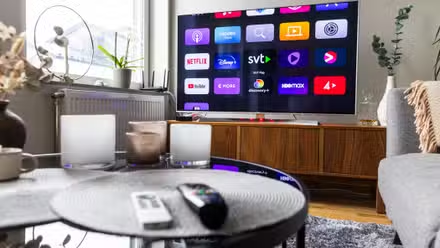
Smart TVs don’t exactly come with loads of storage. We’re talking about as little as 8GB or 16GB. And between the OS, system apps, and everything manufacturers preinstall, it’s not a lot.
The bigger issue is what happens when you get close to that limit. Everything slows down to a crawl, and even navigating the interface becomes frustrating. That’s exactly why my first move on any new TV is to get rid of apps I know I’ll never use.
You Can Use These 6 Smart TV Apps Without Wi-Fi
You can still use your smart TV offline, provided you’re prepped in advance.
Unwanted streaming apps
No surprises here

Every smart TV understandably comes loaded with streaming apps, but not all of them are useful, at least not to everyone. So the first apps I target are the streaming services I don’t subscribe to. This obviously varies from person to person, but for me, that usually means uninstalling apps like Peacock, Paramount+, and Hulu.
I also get rid of any music streaming apps. Personally, I have no use for YouTube Music, Amazon Music, or Spotify. On the rare occasions where I want to play music on my TV, the regular YouTube app does the job.
One thing that annoys me even more is all those dedicated streaming buttons on TV remotes, with no built-in way to change them. The good thing is that you can usually remap those with a third-party app. On my TCL Google TV, for instance, I used the tvQuickActions app for this.
Browser
Nobody asked for this

A web browser is another app that doesn’t survive on my smart TV, and if you’ve tried using one, you probably know why. Even something as simple as typing app search queries is already painful enough with a remote. Navigating actual websites is frustrating on a whole new level.
Most smart TV platforms include their own browsers. Fire TV has Amazon Silk, Samsung comes with Samsung Internet, and LG has something called Web Browser. It’s not like I haven’t given them a fair shot. I’ve even tried using third-party browsers hoping they’d be better. They weren’t.
If I ever need to view a page on a giant screen, I find it easier to open it on my phone and then mirror the screen. It’s much quicker, and I don’t have to fight a remote to get there.
Two apps I’ve opened a combined three times

I know not every smart TV comes with a file manager or a media player out of the box, but if I spot them on any of my TVs, they’re among the first to go.
A file manager only really makes sense if you’re running an FTP server, browsing files on a USB drive, or sideloading APKs. The only one of those I still do is sideload apps, but I don’t use a file manager for it anymore. There’s a free app called atvTools that lets me sideload APKs on my Google TV directly from my Android phone. That means I don’t need to transfer APKs to my TV’s internal storage and delete them afterward. More importantly, atvTools offers plenty more features for managing my TV.
Media players fall into the same category. I rarely need to watch local media on my TV, and for those times, I find it easier to mirror my phone than deal with a flash drive or SSD.
Cloud gaming apps
Promising, but not there yet

Cloud gaming has genuinely improved a lot over the last few years, and I’m not going to pretend otherwise. The idea of launching a game straight from your TV without a console still feels like magic. So yes, I get why TV manufacturers preinstall cloud gaming apps like Xbox, Amazon Luna, NVIDIA GeForce Now, and Antstream Arcade. These are not bad options if cloud gaming is your thing.
I don’t fall into that camp, unfortunately. I’m a PS5 guy, and as good as cloud gaming is in 2026, the game libraries still don’t come close to what I get on a PlayStation. So I usually end up uninstalling cloud gaming apps too.
Manufacturer bloat
The uninvited guests
Some of the apps above may be defensible, but his category isn’t. I’m talking about the manufacturer’s own apps that come preinstalled on almost every smart TV. For instance, Samsung TVs have SmartThings, which is a smart home hub for managing Samsung smart appliances in your home. LG’s ThinQ does more or less the same thing. Fire TV ships with apps like Amazon Photos and Alexa-adjacent utilities that exist to keep you inside Amazon’s world. My TCL TV had a T-Exhibition, which is essentially a built-in art display that I opened only once.
The annoying part is that most of these apps can’t be fully uninstalled the usual way. They’re baked in at a system level, so the usual uninstall option either doesn’t exist or just disables the app rather than removing it. On my Google TV, I used an app called ADB TV to get rid of such apps and reclaim storage space.

- Dimensions
-
1.93″D x 65.75″W x 37.87″H
- Display Technology
-
QLED
- Brand
-
TCL
- Refresh Rate
-
120Hz
With its outstanding color and contrast, in addition to being one of the brightest TVs available today, the TCL QM8 is an excellent choice for those seeking a quality 75-inch TV. On top of its superior picture quality, it’s also available at a pleasing price compared to the competition.