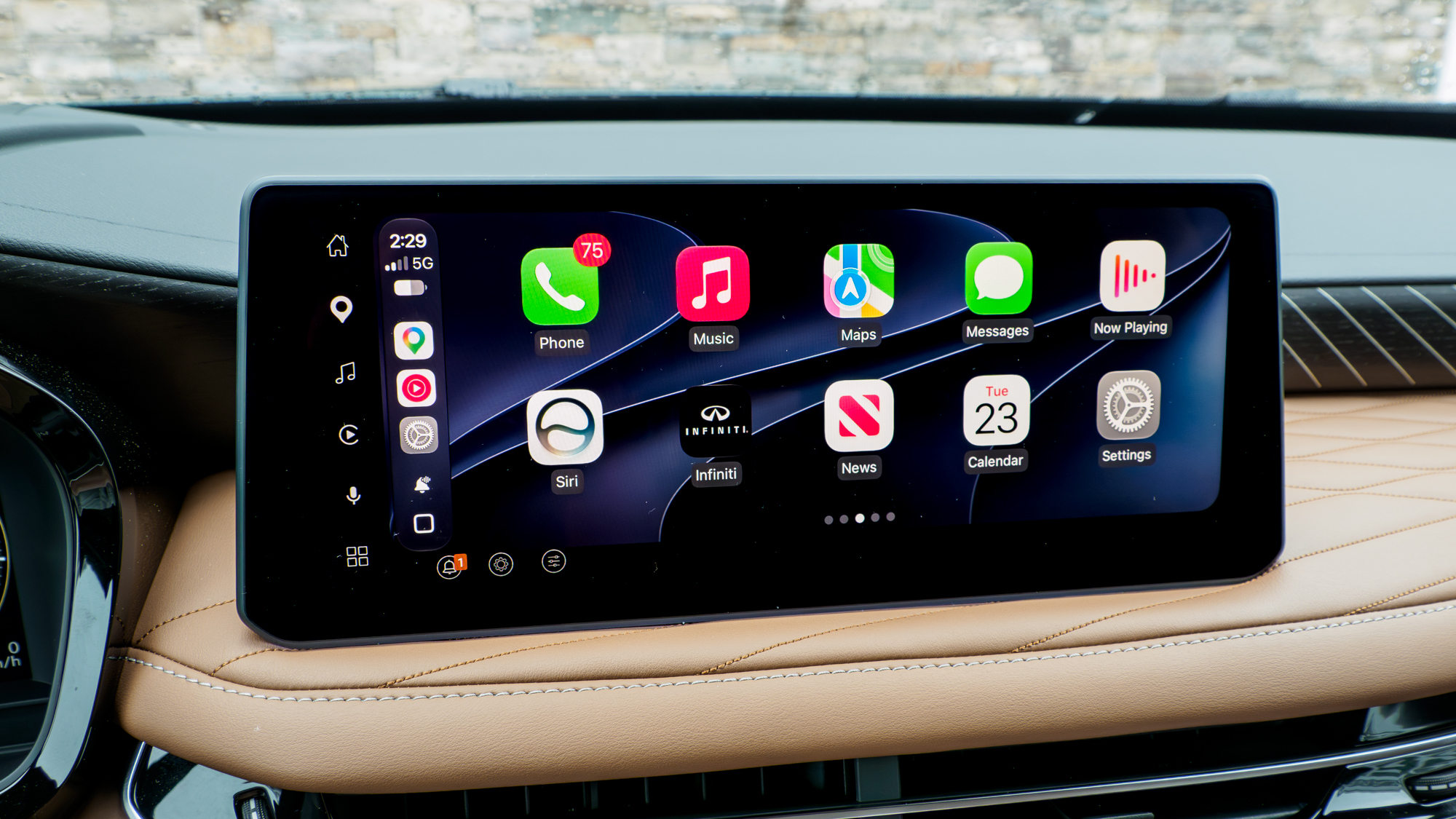
I have a confession to make. As much as I use CarPlay whenever I’m testing the best electric cars, I rarely try to interact with Siri. Instead, I’ve found Meta AI to be way more helpful because it’s something I can access right from my Ray-Ban Meta sunglasses. But the real reason I use it over Siri in CarPlay is simply because of how smart it is.
Now that I’m running the iOS 27 developer beta on my iPhone 17 Pro, I have access to Siri AI on all of my drives. Since I’ve been so accustomed to Meta AI, I’m way more critical and have higher expectations for how Apple’s new AI chatbot works. After a week of using it, here’s what I found.
Conversations are way more fluid

What immediately stands out the most is how much more conversational Siri AI is compared to previous versions. Apple has improved Siri’s conversational skills over the years, but this update is a huge leap because the assistant sounds more human than ever before — complete with natural inflections and tonal shifts.

I actually love interacting with this version of Siri. It’s fun, way more engaging, and has an authentic tone that completely sheds the robotic tendencies of past versions.
I asked about upcoming Fourth of July events happening around where I live, and I was really impressed that it recommended three options. However, when I followed up to ask which one it recommended most, Siri AI explicitly said it couldn’t pick just one and simply rehashed the options. Additionally, I noticed that I can’t interrupt Siri AI while it’s talking like I can on my phone — which I suspect is due to the louder ambient noise within the cabin space.
Despite this, I actually love interacting with this version of Siri. It’s fun, way more engaging, and has an authentic tone that completely sheds the robotic tendencies of past versions.
Still needs better deep research

On one of my commutes to work, I noticed that Google Maps was forcing me to take the Garden State Parkway instead of my usual route along the New Jersey Turnpike. After double-checking the traffic conditions, I saw that it was completely red along the Turnpike, so I asked Siri AI to find out why.
I simply asked it to check why there was so much traffic on my route, but it couldn’t check live traffic conditions — so that was a bust. After that, I explicitly asked Siri to look up any social media posts or news stories about traffic along the Turnpike. It rattled off a list of things, including ongoing construction near specific exits and various road closures. I doubted those were the actual reasons for the slowdown, and I ended up looking it up myself once I got to work.
When I finally got to the office, I found out there had been a four-truck crash that morning with one fatality, which explained why the highway was completely red for a long stretch and why Google Maps had rerouted me to the Parkway instead.
I’m hoping that Siri AI gets better at deep research, especially when it comes to pulling information from third-party apps — but right now, it’s just not there yet.
Siri AI remembers tasks

Finally, I wanted to see how well Siri AI could jot down notes for me while driving. I had just wrapped up testing the 2026 Mazda CX-5, and rather than waiting until later in the day, I asked Siri AI to log some pros and cons about the SUV.
The best part about Siri AI in CarPlay is that it remembers the context of tasks it just performed.
The best part about Siri AI in CarPlay is that it remembers the context of tasks it just performed. For example, I initially rattled off a few points, noting how the Mazda now offers a much more modern infotainment experience, but then remembered another detail a couple of minutes later. I asked Siri AI to go back into that note to add the additional comments, and it was smart enough to know exactly which note to update.
When I got to work later on, I opened the saved note and was surprised to see it had actually attempted a proper layout — complete with a title and bulleted list. While it wasn’t perfect, it gave me a solid starting point. Moving forward, it would be great if Siri could log things directly into a Google Docs file, but this test proved to me that I can finally rely on the assistant to remember and recall information on the fly.
Outlook

I have another confession to make: The only reason I gave Siri AI a shot in the first place was that I accidentally left my Ray-Ban Meta sunglasses at home on one of my drives.
Now, I can confidently say that Siri AI is way more helpful, and I can actually rely on it while driving. As another example of its capabilities, I asked it to look up vehicles similar to the Infiniti QX60 I was driving, specifically comparing it to the Genesis GV80 I previously tested. I loved how it broke down the luxury, three-row SUVs side by side — including granular details like the price differences between trims.
Moving forward, I’m really looking forward to the potential of broader, cross-app integration with third-party software, because that’ll truly be a game-changer behind the wheel. A perfect example would be placing a Dunkin’ Donuts order via voice. While I could technically use the dedicated Dunkin’ CarPlay app, doing so is distracting while driving, and it doesn’t offer access to the full menu anyway. I would love to just ask Siri AI to handle the order for me using simple voice instructions.

Follow Tom’s Guide on Google News and add us as a preferred source to get our up-to-date news, analysis, and reviews in your feeds. Subscribe to Tom’s Guide on YouTube and follow Tom’s Guide Entertainment on TikTok and Instagram. Finally, you can visit our dedicated Tom’s Guide Savings Squad hub for expert help on getting the best products for less.