
There are few things as annoying on Android phones as a spotty Bluetooth connection.
If you’re trying to listen to music, but your tunes keep cutting out, you keep dropping calls due to confused Android Auto, or your fitness tracker keeps disconnecting, it can be incredibly infuriating.
Sometimes, this can be the result of your chosen Bluetooth gadget not being up to snuff. However, now and then, certain phones seem plagued by this issue.
We’ve reported on Google Pixel 9 Pro models with Bluetooth problems (which affected the Pixel 8 Pro, for that matter), and I recently spent a month with a Motorola phone that was frustratingly prone to piques of Bluetooth trouble. It was a budget mobile, what did I expect?
Over the course of the month, I was hit by intermittent dropouts and other Bluetooth annoyances. I thought this was just a symptom of using a more affordable handset compared to a premium one — until I decided to get to the bottom of what was going on.
And after some testing, what I discovered helped me reduce the amount of dropping out I suffered.
 Quiz
QuizBluetooth technology
Trivia challenge
From Viking kings to wireless earbuds — how much do you really know about Bluetooth?
HistoryStandardsHardwareSecurityFeatures
Bluetooth technology is named after which historical figure?
Correct! Harald Bluetooth was a 10th-century Danish king who united dissonant Danish tribes — fitting for a technology designed to unite different communication protocols. The name was proposed by Intel engineer Jim Kardach, who was reading a historical novel about Harald at the time.
Not quite. Bluetooth is named after Harald Bluetooth, a 10th-century Danish king renowned for uniting warring factions. The parallel to uniting different wireless protocols made it an inspired choice by Intel engineer Jim Kardach.
In what year was the first official Bluetooth specification (version 1.0) released?
Correct! Bluetooth 1.0 was released in 1999 by the Bluetooth Special Interest Group (SIG). The specification had a rocky start — 1.0 and 1.0B had significant issues, including mandatory hardware device address transmission that made anonymity impossible.
Not quite. The first official Bluetooth specification was released in 1999. Early versions had notable problems, and it wasn’t until Bluetooth 1.1 and 1.2 that the standard became reliably usable for mainstream consumer devices.
Which Bluetooth version introduced Low Energy (LE) mode, designed for devices like fitness trackers and sensors?
Correct! Bluetooth 4.0, released in 2010, introduced Bluetooth Low Energy (BLE), originally developed by Nokia under the name Wibree. BLE was a game-changer for IoT and wearable devices, allowing tiny batteries to power connected devices for months or even years.
Not quite. Bluetooth Low Energy was introduced in version 4.0 back in 2010. It was originally a Nokia project called Wibree before being folded into the Bluetooth standard, and it revolutionized the wearables and IoT industries.
What is the maximum theoretical data transfer speed of Bluetooth 5.0 in its high-speed mode?
Correct! Bluetooth 5.0 supports a maximum data rate of 2 Mbps in its high-speed LE mode, which is double that of Bluetooth 4.2. However, this comes at the cost of range, as higher speeds require devices to be closer together.
Not quite. Bluetooth 5.0 tops out at 2 Mbps in high-speed mode. The standard also introduced a long-range mode that sacrifices speed for up to four times the range of Bluetooth 4.2, giving developers flexibility for different use cases.
Which frequency band does Bluetooth primarily operate on?
Correct! Bluetooth operates in the 2.4 GHz ISM (Industrial, Scientific, and Medical) band. This is the same band used by Wi-Fi (802.11b/g/n) and microwave ovens, which is why interference can occasionally be an issue in crowded wireless environments.
Not quite. Bluetooth uses the 2.4 GHz ISM band, which is an unlicensed radio band available globally. Sharing this band with Wi-Fi and other devices can sometimes cause interference, which Bluetooth mitigates through a technique called frequency-hopping spread spectrum.
What technique does Bluetooth use to reduce interference by rapidly switching among 79 different frequency channels?
Correct! Bluetooth uses frequency-hopping spread spectrum (FHSS), hopping up to 1,600 times per second across 79 designated channels in the 2.4 GHz band. This rapid hopping makes Bluetooth connections resilient to interference and difficult to intercept.
Not quite. Bluetooth relies on frequency-hopping spread spectrum (FHSS), switching channels up to 1,600 times per second. This technique was actually pioneered by actress Hedy Lamarr and composer George Antheil during World War II — a fun piece of wireless history!
Which Bluetooth attack involves an attacker sending unsolicited messages or files to a discoverable Bluetooth device without pairing?
Correct! Bluejacking involves sending unsolicited messages to nearby Bluetooth devices without requiring pairing. While mostly harmless and often used as a prank, it highlights the importance of keeping your device non-discoverable in public spaces.
Not quite. Bluejacking is the attack that sends unsolicited messages to discoverable devices without pairing. The more serious attacks are Bluesnarfing (stealing data) and Bluebugging (taking full control of a device), which require more sophisticated techniques.
Which company originally developed the technology that became Bluetooth, starting the project in 1994?
Correct! Swedish telecommunications giant Ericsson initiated the Bluetooth project in 1994, with engineer Jaap Haartsen often credited as its inventor. The goal was to create a wireless alternative to RS-232 data cables for connecting mobile phones to accessories.
Not quite. Bluetooth was originally developed by Ericsson in 1994. Engineer Jaap Haartsen led much of the foundational work. The Bluetooth SIG was later formed in 1998 with founding members including Ericsson, Nokia, IBM, Intel, and Toshiba.
Your Score
/ 8
Thanks for playing!
My Bluetooth problems
I just can’t connect
Often, when I was listening to the Nothing Ear (a), which I recently fell in love with all over again, one or both earbuds would drop out.
They’d then spring back to life, but out of sync, and would spend several seconds stuttering, confused, before finally picking back up with the music.
All in all, I’d lose a few seconds of the song. I’m not going to pretend it’s a life-or-death issue, or that it ruined my experience of using the phone, but it gave me several seconds of annoyance, several times a day. I thought I’d have to live with it.
That was until, several times in a row, I found myself picking up my phone in the exact same way — and hearing the stutters and cutouts at the same moment every time.
This way was, by putting the palm of my hand over the front-facing camera, an easy way to grab it if it’s by the edge of my desk, and I just managed to replicate this three times in a row while writing this article.
That’s right: idiosyncratically grabbing the phone, in this simple way, was affecting the music playback. Problem solved, right?
That didn’t explain why the drop-outs happened when I was walking around, or not touching my phone at all.
But it had reminded me of a basic tenet of Bluetooth use, and it’s something that I think too many wireless gadget users forget.
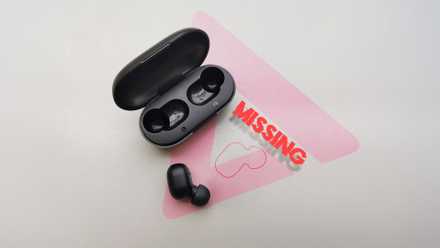
4 things you can do if you lose one earbud
How to find a missing Bluetooth earphone
Bluetooth isn’t perfect
There’s a reason many prefer the wire

Bluetooth is basically the weakest wireless signal that gadgets commonly use. While Bluetooth is designed for low power and low ranges, both Wi-Fi and 5G are better for range and power.
There’s a reason why some of the best home audio set-ups and headphones use Wi-Fi, if they go wireless at all. Bluetooth is convenient, but it’s easy to trip up.
Case in point: Bluetooth is incredibly prone to interference. If you’re using Bluetooth gadgets in an area with loads of overlapping frequencies, emitted from a wide range of mobile and consumer tech, you’ll find unstable connections or sporadic drop-outs.
More relevantly, physical barriers can get in the way of Bluetooth. Materials like glass, wood, and fabric pose little interference, but concrete, plaster, and metal can do an adept job at blocking the signal.
Blocking the signal
And how to avoid it

The only kind of barrier that introduces no interference is no barrier whatsoever. As we’ve already established, my hand could interrupt my headphones’ signal, and it’s not alone.
I have a jacket I call my “Bluetooth Killer Jacket” — it’s faux suede, made from polyester and elastane — so named, because headphones really struggle to connect to my phone if it’s in the breast pocket.
You can buy plenty of metal phone cases, but these can often block signals and do more harm than good.
It’s why, when manufacturers make phone cases out of titanium, there are breaks in the shell made of a different material for the antennae.
So there are loads of ways you may be unintentionally blocking the Bluetooth signal between your phone and earbuds or smartwatch. It’s a natural byproduct of this kind of connection.
Knowing that, it’s easier to avoid it. When I wear the Bluetooth Killer Jacket, for example, I’ll put my phone in my bag instead of in the jacket pocket. That way, the connection is perfect.
I’ve also become very picky about the kind of case I use on a phone. I’ll avoid metal ones, as I don’t want to block my music, and sometimes eschew them altogether.
Many smartphones come with in-box cases, and I’ll often test them, but if they give a hint that they’re going to hurt my sound quality, they’re gone.
As we’ve established, holding a phone the right way can also help.
When I discovered my Moto phone could drop out when I held it in the wrong way, I started making a conscious effort not to replicate that. And now, I don’t face the problem so much (well, I didn’t until I started writing this article and intentionally blocked it again).
Bluetooth is a fickle mistress, and if you don’t think about what you’re doing, you can end up having a bad experience. But take a little time to figure things out, and you can avoid drop-out, improve reliability, and reduce Bluetooth lag.
