We live in the age of the “forever payment.” It starts small — $10 for ad-free music here, $5 for extra cloud storage there — but before you know it, your bank statement is bleeding out a small fortune in recurring monthly charges.
Many of these subscriptions now feel unavoidable. How else do you back up your photos, sync passwords, or listen to music without constant interruptions on your Android phone? The overlooked answer is open-source software. Across the globe, independent developers are building capable, privacy-first alternatives that rival Big Tech’s offerings and, in some cases, outperform them, all without tethering you to another recurring bill.
These are the apps that let me cancel my subscriptions without feeling like I gave anything up. In fact, there’s a whole suite of free open-source Android apps you probably didn’t know about waiting to be discovered.
OuterTune
Unlocks premium music features without the monthly fee

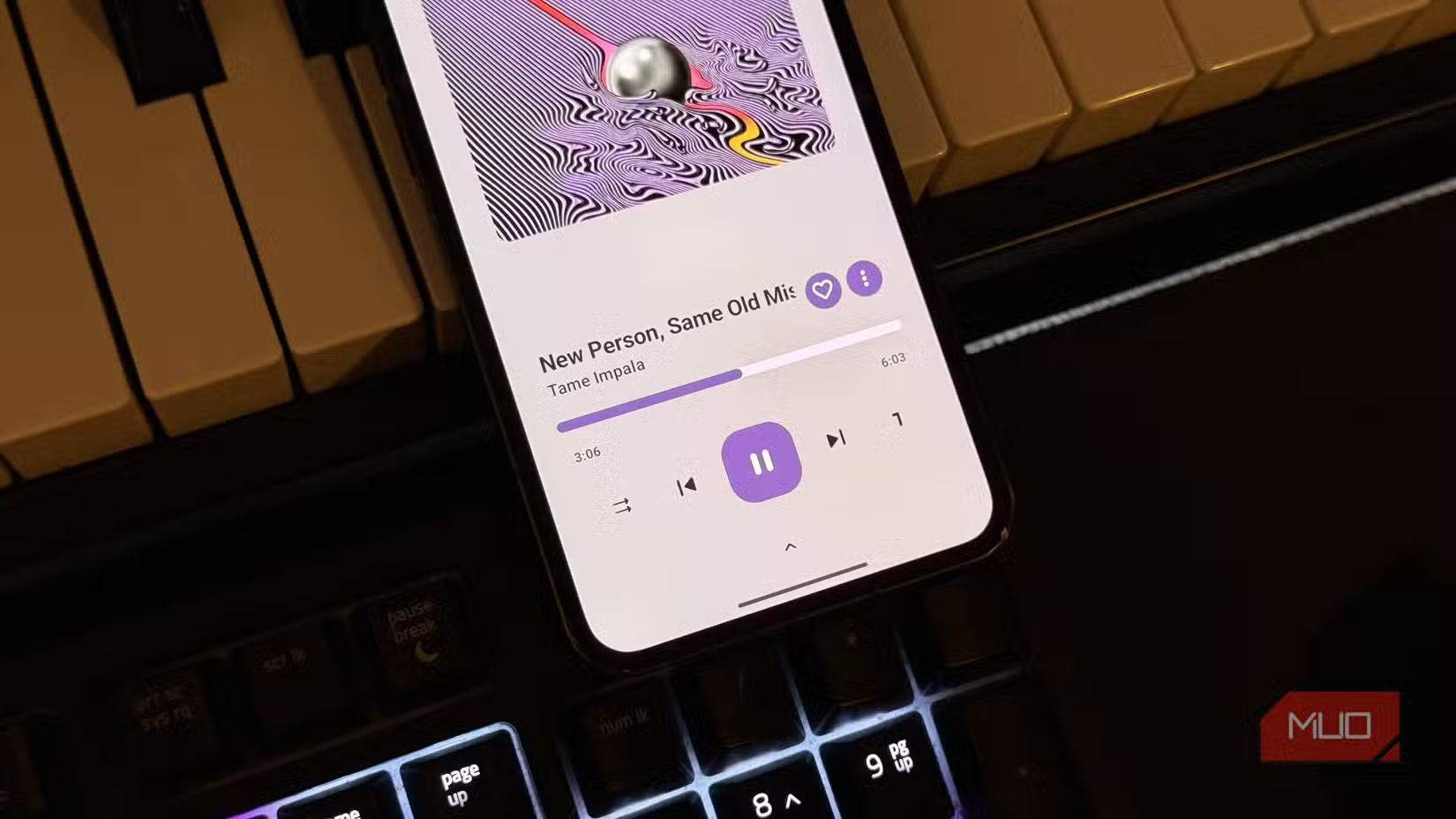
If you are tired of the incessant ads on the free tier of Spotify or YouTube Music, your first instinct is usually to pay up. OuterTune offers a third option: a sophisticated, Material Design 3-compliant player that draws from YouTube Music’s vast library while stripping away the annoyances.
More than just playing music, OuterTune (a fork of the popular InnerTune) provides a “Premium” experience by default. Background playback works out of the box, so music keeps playing when you lock your screen, and listening is completely ad-free without requiring an account. It also includes thoughtful extras like automatic volume normalization and silence skipping, which are features you’d normally expect from far pricier, audiophile-leaning apps.
The interface mirrors what you’d expect from mainstream streaming services, such as personalized playlists, artist radio stations, and lyric integration. It also works with Android Auto, which makes it an easy companion for daily commutes. If you want to compare options, it’s worth noting that I tried five apps that let you stream free music, and OuterTune consistently stood out as the one that could genuinely replace a paid subscription.

- OS
-
Android
- Developer
-
OuterTune
- Price model
-
Free (open-source)
OuterTune is an open-source Android music player that merges local playback with YouTube Music streaming in one elegant interface. Built with Google’s Material 3 design, it offers a seamless, ad-free experience where you can play songs stored on your device or stream directly from YouTube Music without switching apps.
NewPipe
You can watch YouTube ad-free and offline, completely gratis
YouTube Premium is arguably one of the most tempting subscriptions because the free experience has become so cluttered with advertising. In fact, the ad density is one of the main reasons you shouldn’t watch YouTube on your TV or smartphone using the official client. NewPipe is the antidote. It is a lightweight YouTube client that doesn’t use the official YouTube API, meaning it doesn’t require a Google account and doesn’t track your viewing habits.
NewPipe does everything the official app withholds unless you hand over money. Background playback? Yep. Picture-in-Picture? Of course. More importantly, it allows you to download video and audio directly to your device storage — a feature Google guards jealously.
Just as importantly, NewPipe respects your attention. You can subscribe to channels without signing in, with all subscriptions stored locally on your device. If you want to escape the algorithmic rabbit hole and watch the creators you love, NewPipe’s “Subscriptions” tab is the calmest feed you will ever scroll through.

- OS
-
Android
- Price model
-
Free (open-source)
Watch and download videos with NewPipe, a lightweight YouTube alternative for Android. Enjoy ad-free playback, background listening, and privacy-focused features.
Bitwarden
Manages unlimited passwords across all devices at no cost
Password managers like Dashlane and 1Password are quite good at what they do, but over time, they’ve crept into a familiar pattern. The basics are free, and the moment you want something truly useful, like syncing across all your devices, you’re asked to subscribe. It turns out you don’t need a password manager subscription to access these features.
With Bitwarden, you can store unlimited logins and sync them across unlimited devices (Android, iOS, Windows, Linux, and macOS) completely for free. There is no “one device only” restriction here. Autofill works smoothly on Android, biometric unlock (fingerprint or face) is supported, and a secure password generator is built right in.

I’m Done With Google Password Manager: Here’s What I Use Instead
If you’re still using Google Password Manager, you’re missing out.
Being open source also means its code is regularly audited by security researchers, helping keep backdoors and vulnerabilities in check. Transitioning is also painless; Bitwarden can import databases from almost every major competitor.

- OS
-
Cross-platform
- Price model
-
Free, Premium available
- Developer
-
Bitwarden
- Services
-
Password manager, password generator, secure file sending, credential management, etc.
Joplin
Organizes your thoughts and notes without the feature bloat
Evernote was once the king of note-taking, but it became bloated and expensive. Joplin is the spiritual successor that returns to basics. It is a note-taking and to-do application capable of handling a massive number of notes organized into notebooks and tags.
Joplin uses Markdown, a simple text formatting language that keeps your notes from being trapped in a proprietary format. If you ever want to leave Joplin, you can export your text easily — though you likely won’t want to. It supports end-to-end encryption (E2EE), ensuring that your journal entries and ideas are unreadable to anyone but you.
The app syncs with your choice of cloud service (Nextcloud, Dropbox, OneDrive, etc.), so you aren’t forced to pay for a specific “Joplin Cloud” unless you choose to support the developers. It replaces the $8–$15 monthly fees of premium note apps while offering a cleaner, distraction-free writing environment that is arguably better than Obsidian.

- OS
-
Windows, macOS, Linux, Android, iOS, FreeBSD, Terminal
- Price model
-
Free (open-source); Paid subscription for cloud storage
- Developer
-
Laurent Cozic (and community)
Fossify Gallery
Manages your photos privately

Every phone comes with a gallery app, but they are increasingly becoming storefronts for cloud backup services or AI gimmicks. Google Photos, for instance, constantly nags you to buy more storage to back up your photos. Fossify Gallery (a fork of the now-defunct Simple Gallery) is a breath of fresh air.
This app does one thing and does it perfectly: it displays your local media. It is incredibly fast, customizable, and works entirely offline. There are no “Memories” pop-ups trying to monetize your nostalgia, and no data is being sent to a server for analysis. It is a prime example of why your phone’s default apps aren’t as private as you think—and why open-source options are often better.

5 open-source apps from F-Droid that are better than their Play Store rivals
These F-Droid apps do more while asking for less of your data.
Despite its simplicity, it packs power user features. You can password-protect specific folders, use a surprisingly capable built-in editor for cropping and filters, and view a wide variety of file types (including RAW). It replaces the need for “pro” gallery apps or cloud-heavy stock apps, proving that sometimes the best software is the kind that stays out of your way and lets you look at your pictures.

- OS
-
Android
- Price model
-
Free (open-source)
Organize and view your photos with Fossify Gallery, a fast and lightweight gallery app for Android. Enjoy a clean interface, smooth navigation, and easy access to your memories.
You shouldn’t be renting your apps when you can own the experience
Beyond just saving money, open-source apps are about choosing software that works for you rather than working around a business model. These Android apps prove that you can replace expensive subscriptions with tools that feel lighter, more honest, and often better thought out. Once you make the switch, going back to monthly fees feels a lot harder to justify.