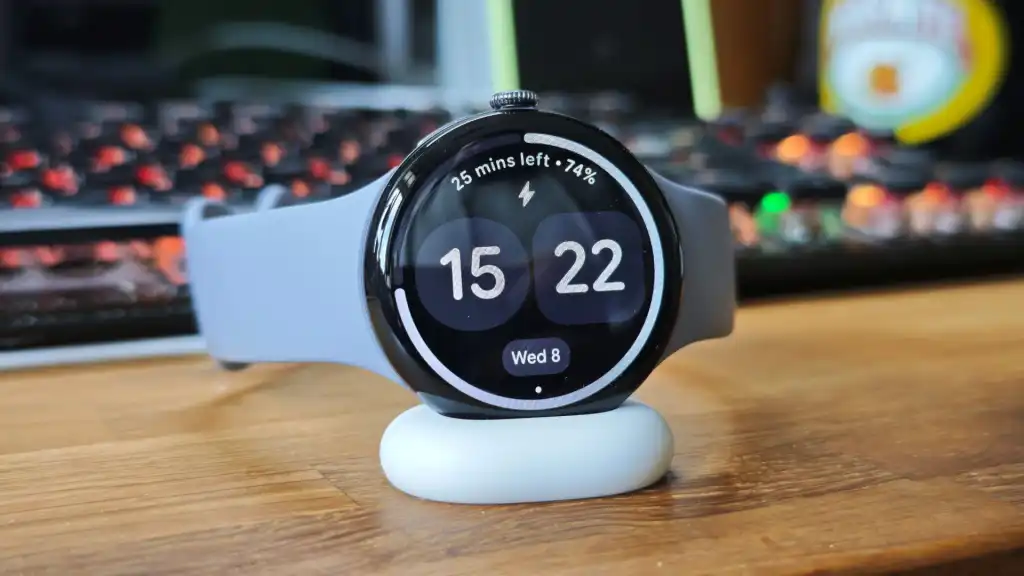
The Google Pixel Watch 4 is one of the best smartwatches of 2025 and if you’ve got one already, then no doubt you’re enjoying it. However, there’s one setting you should change straight away to make the experience even better.
No matter if you’ve just set the smartwatch up or you’ve been wearing it for weeks, this quick hack is a game-changer.
It relates to the new Quick Charge Dock, which I love. Sure, proper Qi wireless charging would be great, but this is at least the best proprietary watch charger I’ve seen in years.
Not only is it much faster than before, but it gives you a neat place to put the watch on your bedside table or desk, and while it’s charging, it gives you useful information. As well as the time, you can see charging progress, time remaining and things like the date and alarms.
However, to my surprise and frustration, the screen turns off after a short time. I wasn’t expecting this and got fed up with tapping to wake it up, but fortunately, you can set the Pixel Watch 4 screen to stay on while charging and here’s how to do it in a few taps.
Warning: Enabling this feature increases the risk of screen burn-in, as the panel is OLED. The device is designed to have an always-on display, but it’s best not to switch this feature on and leave the watch charging overnight when it is normally getting a rest.
- Swipe down and select the Settings cog
- Scroll and tap on System
- Scroll and tap on About
- Scroll and tap on Versions
- Tap on Build Number repeatedly until Developer Mode is activated
- Go back to the main settings and tap on Developer Options
- Toggle ‘Stay awake when charging’ to the on position

