Compared to the feature-laden Kubernetes, K3s may seem rather inadequate. However, its lower resource consumption and simpler deployment make it a solid way to tinker with container orchestration facilities without jumping straight into the deep end of the Kubernetes pool. While the default SQLite database doesn’t support high-availability setups, you can even deploy a solid HA K3s cluster using other database tools.
Since K3s is fairly lightweight, I recently built a cluster using a couple of Arm SBCs, and it works surprisingly well. Thanks to its high-availability support, it’s great for running mission-critical services, as they won’t go down even if my main home lab workstations become unusable because of my experiments.
Alongside Beszel and Uptime Kuma for my non-Proxmox services
I came across Pulse while doomscrolling on GitHub (yeah, that’s my thing), and it has become my favorite monitoring tool to keep tabs on my Proxmox workstations. The Pulse dashboard looks gorgeous in the default layout, and displays the essential resources consumed by my Proxmox nodes and the virtual guests running on them. It can also pull statistics from my Proxmox Backup Server systems, including a schedule of backup tasks as well as the total space occupied by the snapshots. Throw in its amazing alert and uptime monitoring provisions, and you can see why I consider Pulse an essential part of my Proxmox toolkit.
However, Pulse’s biggest drawback is that it’s designed for PVE and PBS nodes, and doesn’t support the other hypervisors. As such, I use Beszel to monitor all my server nodes, including those built on Harvester and Debian. Meanwhile, Uptime Kuma is better for monitoring Podman containers running inside VMs, which aren’t detected by Pulse.
It’s more than just a glorified ad-blocker
When you think about Pi-hole, you’d probably imagine a lightweight DNS sinkhole that prevents pesky ads from intruding on your privacy and consuming your network resources. However, it’s a versatile tool that can also help check logs of DNS queries and maintain blocklists for malicious websites.
Me? I recently started using local DNS on Pi-hole, and it single-handedly changed the way I access my home lab. You see, you’ll need domain names when setting up a reverse proxy. But being a broke home labber who just graduated uni, I don’t want to pay regular fees to a domain registrar just to get a custom domain name. That’s where Pi-hole’s local DNS records come in handy, as I can use practically any domain name for the services running on my home network.
A reverse proxy with automatic HTTPS

While we’re on the subject of custom domain names, my Pi-hole’s local DNS records wouldn’t be all that useful without Caddy, which forwards the network traffic to the right service. While I initially started my reverse proxy (mis)adventures with Nginx, I’ve moved over to Caddy.
Caddy automatically generates the right Let’s Encrypt certificates for my self-hosted application suite. That way, I don’t have to waste additional time acquiring them manually and can access my services over HTTPS right away.
My all-in-one notification system
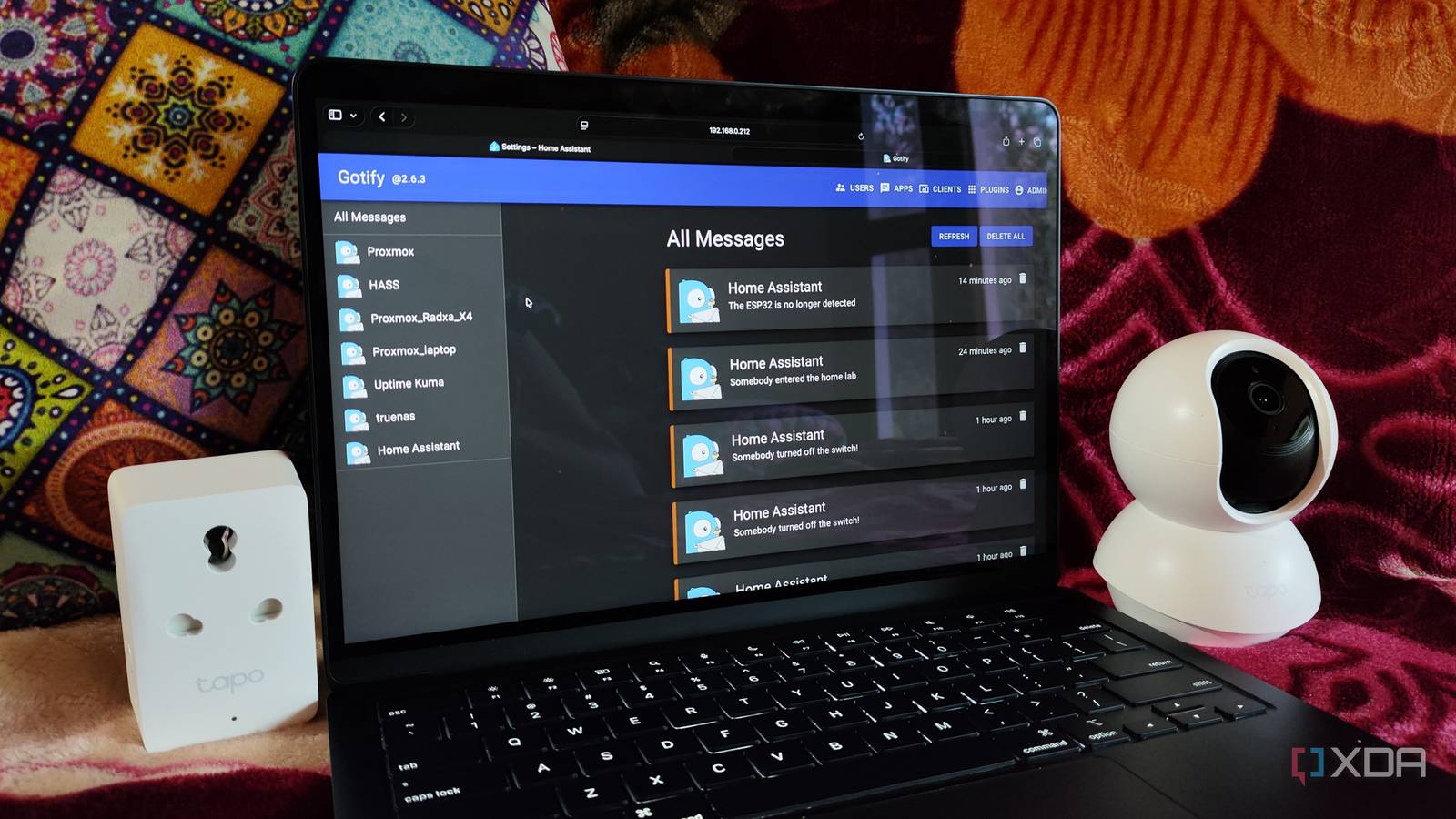
As the notification center of my home lab, Gotify is responsible for receiving alerts from my self-hosted application suite and displaying them on its mobile application. Sounds simple on paper, but it’s a great way to stay on top of all the incidents in my server nodes. For instance, I’ve paired Pulse with Gotify to receive alerts when a virtual guest consumes too many resources or a PVE node goes offline.
Likewise, Gotify pulls the essential notifications from my TrueNAS storage server, so I can don my troubleshooting hat without wasting a single moment. Then there’s Home Assistant, which includes numerous trigger-action automations to help my Gotify server stay on top of the latest happenings in my IoT paraphernalia.
Makes signing in to my app stack a lot easier
Running an arsenal of self-hosted services has some drawbacks, and being forced to remember user credentials for them is one such issue. Luckily, Single Sign On services make this process a cinch, as I don’t have to type long usernames or recall the weirdly-complicated passwords my reptile brain loves to create when initializing a new app.
Authentik is my favorite of the bunch, as it’s not only easy to deploy but also has a feature-laden web UI. It supports a number of authentication and authorization protocols, ranging from LDAP and Oauth2 to RADIUS and SCIM, and can even log failed sign-in attempts to help me stay one step ahead of intruders attempting to break into my home lab.
Or Homarr, for a simpler dashboard

Ask any hardcore home lab enthusiast about their setup, and they’re bound to show you a massive dashboard filled to the brim with cool services. But besides the aesthetic appeal of highly-customized dashboards, they’re great for accessing self-hosted services without remembering multiple domain names or IP addresses.
Despite requiring a lot of YAML edits for the best results, Homepage is hands-down my favorite dashboard utility. Every aspect of Homepage’s UI is customizable, and it can even monitor the uptime and resource consumption of my services using extra widgets. That said, I’d recommend Homarr over Homepage if you’re a beginner who wants a sleek dashboard that looks amazing without requiring hours of config file tweaks.
Making the most of a K3s cluster

Besides the applications I’ve mentioned so far, I have some other tools I plan to integrate with my high-availability K3s setup. Vaultwarden houses all my passwords, TOTP codes, and API keys, and losing access to it would spell doom for my goldfish memory. I also use Ntopng as the network analysis tool, and I’d like to move it to my lightweight cluster at some point. Then there’s Trillium Notes and NetBox, which serve as my home lab documentation platforms and have helped me restore my containers and VMs countless times.

